3
Get to know your modem's lights
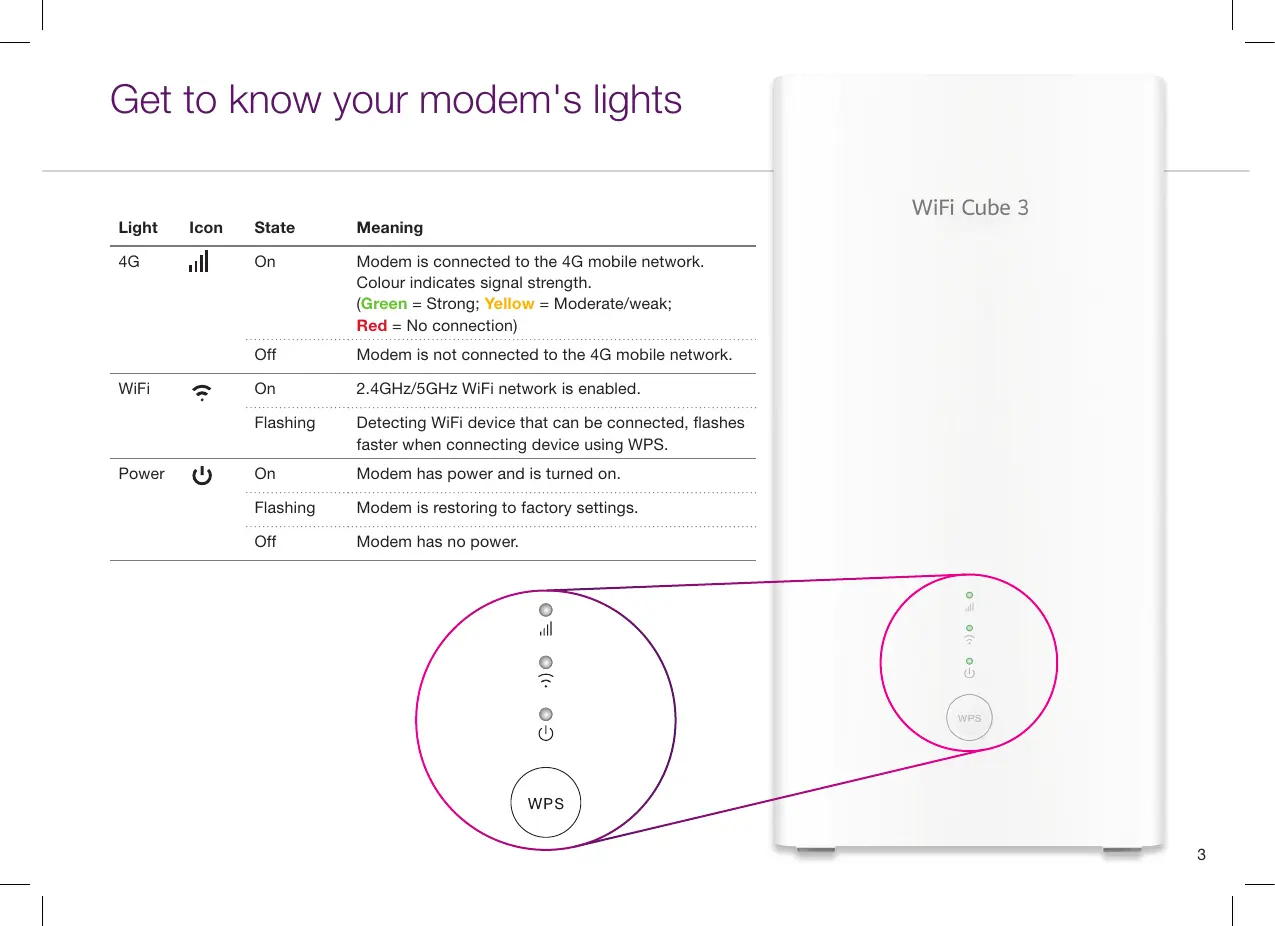
Light Icon State Meaning
4G
On Modem is connected to the 4G mobile network.
Colour indicates signal strength.
(Green = Strong; Yellow = Moderate/weak;
Red = No connection)
Off Modem is not connected to the 4G mobile network.
WiFi
On 2.4GHz/5GHz WiFi network is enabled.
Flashing Detecting WiFi device that can be connected, flashes
faster when connecting device using WPS.
Power
On Modem has power and is turned on.
Flashing Modem is restoring to factory settings.
Off Modem has no power.
4G
WiFi
Power


 To Next Page