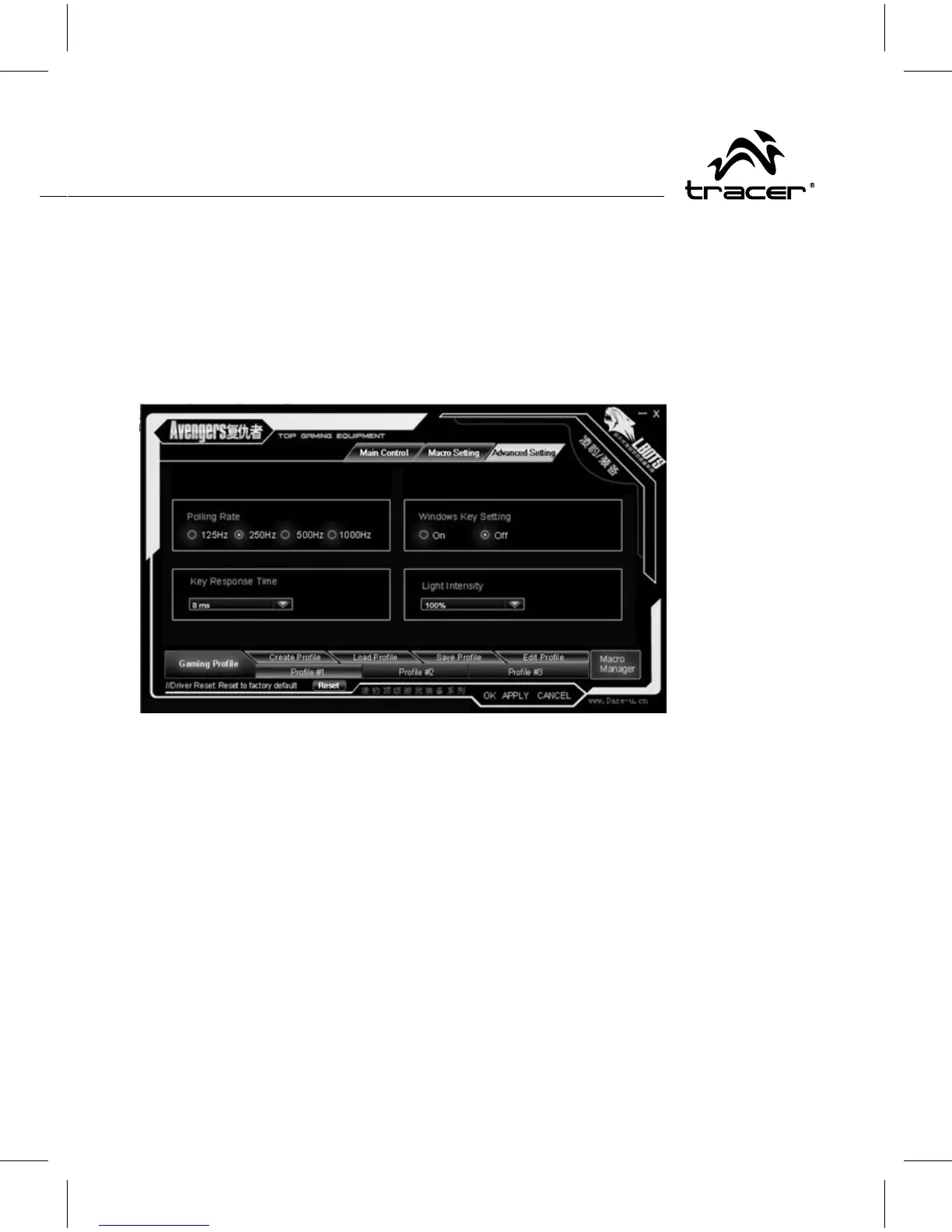
Avanced setting interface, pls see Picture.
You can setting „polling rating”, windows key setting on or off, key
response time, light intensity, after the selection, please press
„APPLY”, you can also press „OK” to apply and leave from the
program. Your new favorite setting will be applied in the mouse.



 To Next Page