7
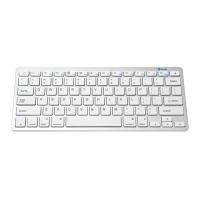
Bluetooth keyboard instructions
1. The rst step: turn on the power switch, LED lamp (green) long
bright 3 s, and then put out (if the keyboard is used for the rst
time, LED lamp (green) long bright 3 s, keyboard will automati-
cally into search state, LED lights ash 2 times interval2 s).
2. The second step: press [link] button. Leds (green) ash 2 times
(removed 2 S) to code until success; The longest time is 3
minutes
3. The third step: open the iPad, on the desktop nd Settings menu.
4. The fourth step: nd the bluetooth in Settings menu and open
bluetooth.
5. Step 5: click search, when the iPad Keyboard Bluetooth to
search, click on the Keyboard Bluetooth connection, then iPad
Keyboard input requirements on the password, Bluetooth Keybo-
ard input iPad in the notice on the password to press Enter key
connection.
6. Step 6: the keyboard and iPad connection success.
Special note:
Wireless bluetooth keyboard with other bluetooth devices can be
connected to a bluetooth keyboard and if you want to use equip-
ment didn’t connect, please conrm whether other key bluetooth is
a connection, if even, pleaseleavethe bluetooth device on the even
tum off again after connection.
The battery
When the low battery voltage (less than 2.7 V), the indicator light
(green) will ash, then need to replace the battery.


 To Next Page