13
USER’S MANUAL Wireless Audio Transmitter 2.4GHz
Connect the 3.5mm Audio cable one side to the audio out of the audio
box, the other side of the cable to your speakers. Or use 3.5mm to RCA
audio cable connect to your Hi-Fi. You can also use a headphone plug
to the audio out port of the audio box.
Step 3: Press the Power on button of the audio box, play a music on
your computer, you can enjoy it now.
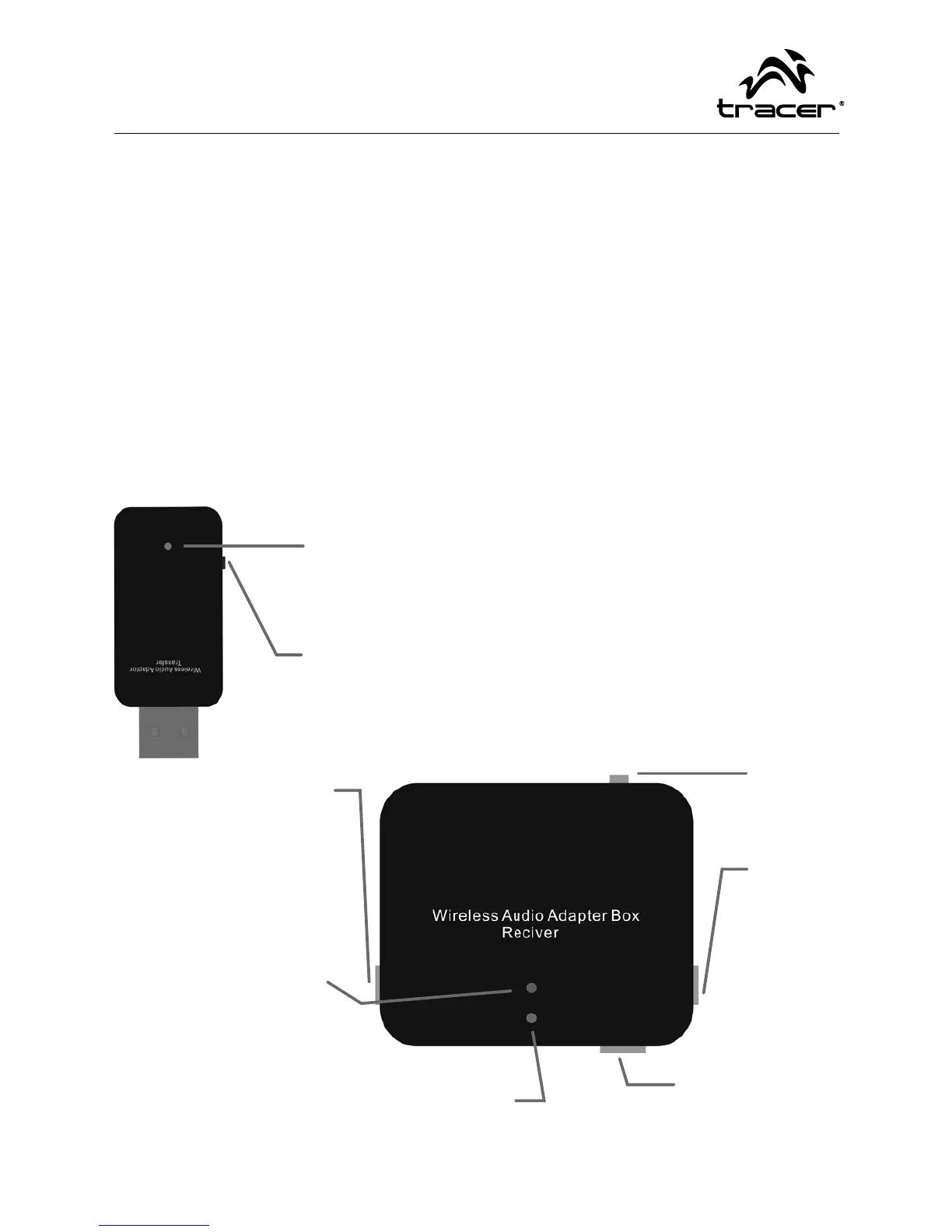
Parts Description
Blue LED lights
1) Lights up: The unit is working and with music transferring.
2) Blinking: No music transferring.
Frequency-Jumping Button, for choose another frequency to
transfer when you feel this device is interfering your wireless ne-
twork
Frequency-Jumping But-
ton, for choose another
frequency to transfer
when you feel this de-
vice is interfering your
wireless network
The Power LED light:
Lights up: recharging,
Lights o : Charging full
LED indicator: Lights up: working & getting mu-
sic; Blinking: No music transferring or the Trans-
fer dongle is not connecting.
Power
On/O
Audio
Output
Mini Usb2.0 Port
for recharging



 To Next Page