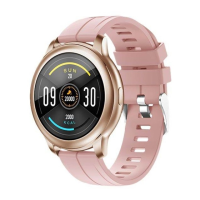
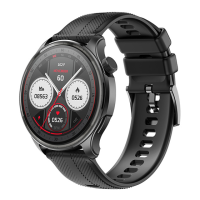
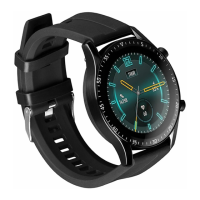
1. Smartwatch SMF11 IRIS charging
Charge battery before the rst use od the device.
Use the charging clip. Instal it in the propper pleace on
the smartwatch and then connect to the power source
using USB plug.
2. Instalation of the „Dat” App
Scan the QR code below to install the app.
You may also nd the app at the APP store or Goolge
Shop using „Dat”
System requirements: Android 5.0+, iOS9.0+
3. Connect SMARTWATCH SMF11 IRIS with a mobile
device.
• Install „Dat” app on your mobile device and turn on
BT function
• SMF11 IRIS will synchronize time, date, language
once it conects with the mobile
• Make sure you have given the App all of the required
access and rights. e.g. social media notications
and GPS location
• After you turn on the App set your prole. Then nd
the Smartwatch SMF11 IRIS on the list and tap to
connect
2. Settings and functions
• SMF11 IRIS has a full touch screen. Tapping a
screen in every spot and sliding on it will cause
entering the propper function menu
• Longer press on the screen allows to choose a clock
screen from the available list
• Sliding down will guide you to the settings menu
wher you can set the screen brightness, quiet mode,
battery check, turn o the device
• Sliding up will guide to text messeges and social
media comunicators
• Sliding right will guide to the list of all modes of the
smartwatch
• Sliding left will guide to each of the modes
• Full function list
SMF11 IRIS:
BT Calling – after connecting with the APP you may
call and answer calls using your SMARTWATCH
(good quality microphone and speaker built in). Diall
history available
Sleep monitor – if you keep Smartwatch on your
wrist at the nigh time you may monitor length and qu-
ality of your sleep (Attention: reset of the sleep data
takes place on 8.00 p.m.)
Heart rate and blood preassure – you may meas
-
sure blood parameters at the times set in the APP, or
you may start it entering the propper screen
Menstrual cycle monitor – after setting propper pa-
rameters in the „AdorHealth” app you may monitor
the length of the cycle
Blood oxygen saturation – start the measurement
by entering the screen with the SPO2
Steps – Smartwatch counts and records the num-
ber, time, distance of your walk. It counts the calories
burnt
Trening, Sport – you may check your progres in va-
rious sports, and set new challenges
Weather – after syncronizing with the app and de-
terminig location, it is possible to view the weather
forecast for the current and the next day
Shutter – when connected to the mobile device you
may use the camera shutter remotely to take photos
Hydration reminder – you can set the frequency of
the hydration reminder in the app
Sedantary reminder – using the app settings it is
possible to remind about the activity
TRACER Smartwatch SMF11 IRIS
Instruction manual
EN
EN: Download the instruction manual from
www.tracer.pl/TRAFON46884. Follow the downloaded
instruction manual.
CS: Stáhněte si návod na stránkách
www.tracer.pl/TRAFON46884. Postupujte podle
staženého návodu.
SK: Z web stránky www.tracer.pl/TRAFON46884
stiahnite návod na obsluhu. Postupujte podľa pokynov
uvedených v návode.
HU: Töltse le a használati útmutatót a
www.tracer.pl/TRAFON46884 oldalról. Kövesse
a letöltött útmutatóban foglalt utasításokat.
DE: Die Betriebsanleitung des Produkts steht auf folgender
Webseite zum Download bereit:
www.tracer.pl/TRAFON46884.
GR: Κατεβάστε το εγχειρίδιο οδηγιών από το
www.tracer.pl/TRAFON46884. Ακολουθήστε το
ληφθέν εγχειρίδιο οδηγιών.
RU: Загрузите инструкцию по эксплуатации с
www.tracer.pl/TRAFON46884. Следуйте
загруженному Инструкция по эксплуатации.
BG: Изтеглете ръководството за употреба от
www.tracer.pl/TRAFON46884. Следвайте
изтегленото инструкция за употреба.
Producent: Megabajt Sp. z o.o.,
ul. Rydygiera 8, 01-793 Warszawa
Symbol of electronic and electrical equipment
waste (WEEE – Waste Electronic and Electrical
Equipment).
Using the WEEE symbol means that this product
cannot be treated as household waste. By providing
appropriate recycling you help to save the natural environment.
In order to get more detailed information about the recycling of
this product, contact the local authority representative, waste
treatment service provider or the store in which the product has
been purchased.


 To Next Page
 Loading...