
 Need help?
Do you have a question about the TraceTek TTDM-128 and is the answer not in the manual?
Explains the module's versatility and various applications and configurations.
Details a standalone system with one TTDM-128 and sensor cable.
Describes a system using a remote repeater TTDM for display.
Outlines a network with one master TTDM-128 and additional modules.
Covers networks with multiple TTDM-128 units, one master and others as slaves.
Outlines initial setup steps for the TTDM-128 module.
Details how to assign unique network addresses to TTSIM modules.
Explains how to assign alphanumeric identification tags to leak detection channels.
Describes how to change units of measure for circuit length, individually or globally.
Configures serial port parameters for communication with host systems.
Details setup for a standalone TTDM-128 system.
Explains setup for a system with a remote repeater TTDM.
Outlines setup for a single TTDM-128 acting as a master in a network.
Details setup for a network with multiple TTDM-128 units, one master and others as slaves.
Introduces the TTDM-128's capabilities in monitoring sensor cables and networks.
Explains sensing cables and components of the leak detection system.
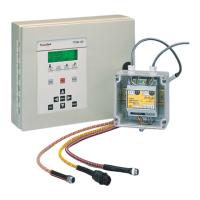
Details external and internal features of the TTDM-128 module with diagrams.
Explains the function of each button on the TTDM-128 keypad.
Describes the meaning of the Monitoring, Service, Leak, and Fault LEDs.
Explains the information shown on the TTDM-128's LCD display lines.
Guides users on how to navigate through the TTDM-128's menu system.
Lists the main menu options available on the TTDM-128.
Instructions for entering passwords to access restricted settings.
Details the information provided for each SIM channel in the status menu.
Explains the meaning of each line item in the SIM Status menu.
Provides detailed explanations for specific SIM status parameters.
How to change the ID tag for a selected SIM channel.
How to change the units of measure for a selected SIM channel's length.
Guidance on selecting appropriate leak and service alarm sensitivity levels.
Steps to define regions and configure relay actions for alarm conditions.
Instructions on how to access and scroll through the recorded events.
Accesses submenus for Time/Date, Language, Password, and Special settings.
How to set the date and time on the TTDM-128.
How to select the display language for the module.
Procedures for entering and changing the module's password.
Setting the interval for automatic re-alarming if an event is uncleared.
Configuring automatic reset of the leak relay after an event is cleared.
Option to enable or disable the audible alarm.
Setting to revert relay state then return to alarm for new events.
Determines if reset applies to all channels or just the displayed one.
Overview of SIM network configuration options.
Assigns unique addresses to TTDM's internal SIM or external TTSIM modules.
Steps to connect and assign an address to a new TTSIM module.
Instructions for adding a TT-NRM to the network and assigning its address.
Updates the network to reflect added/changed units without resetting status.
Initializes the network, resetting all current event status information.
Selects the baud rate for the host serial port.
Configures modem behavior like auto-answer, dial, and hang-up.
Assigns a unique RS-485 address to each TTDM on a network.
Selects whether the module operates as a Master or Slave in the network.
Displays characters sent/received on the serial port for verification.
Sends event history log data to an attached serial device.
Lists various diagnostic tests available for the TTDM-128 and its components.
Describes actions and indicators during a leak alarm event.
Guidance on using system maps to pinpoint leak locations.
Steps to fix the leak and restore the system.
Procedure for resetting the leak relay after an event.
Explains causes, indicators, and actions for Service Alarms.
Lists conditions that trigger Fault Alarms and steps to fix them.
How the TTDM-128 manages simultaneous events across channels or on a single channel.
How the TTDM-128 responds to a leak that changes location.
Response to new leaks occurring away from the initial leak.
How a Service alarm can transition to a Leak alarm.
Instructions for cleaning the TTDM-128 module's exterior.
Information on replacing the module's fuse.
Recommendations for regular system checks.
Guidelines for proper storage and handling of sensing cables.
Methods for isolating problems by dividing the leak detection circuit.
A glossary of event types, messages, and their descriptions.
Details on connecting external devices to the TTDM-128's service, leak, and fault relays.
Illustrates options for wiring relays in series or parallel for remote monitoring.
Description of the analog 4-20 mA output interface.
Diagrams showing how to wire the 4-20 mA output port.
How to scale the 4-20 mA output for leak location.
How to select a different SIM channel for the 4-20 mA output.
Explains how to interpret output values for fault conditions and leak locations.
 General
| Brand | TraceTek |
|---|---|
| Model | TTDM-128 |
| Category | Control Unit |
| Language | English |

 To Next Page