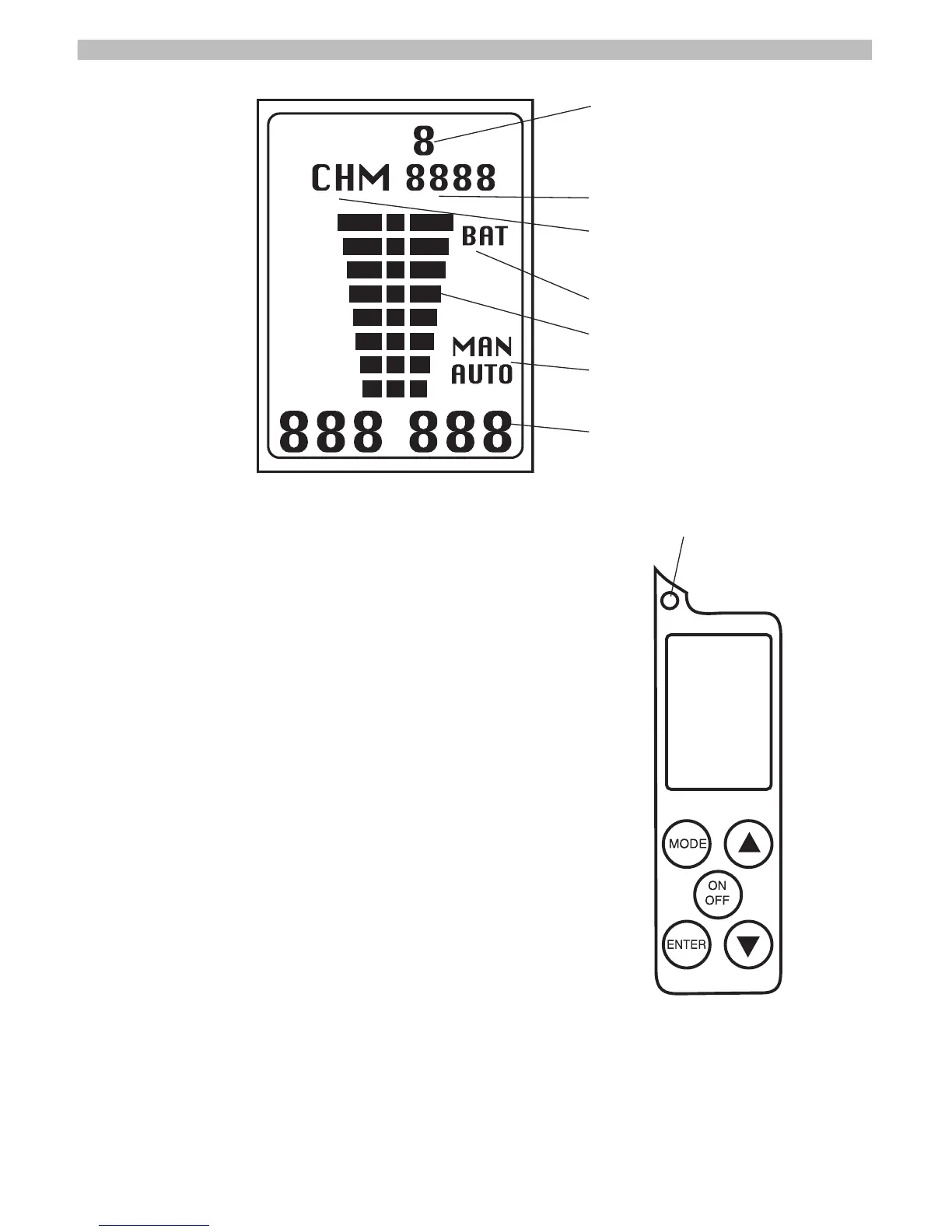
Operating the Maxima Receiver:
Turning the receiver ON:
Press and hold the ON/OFF switch for approxi-
mately 1- 2 seconds. On power up the receiv-
er will perform a Self Test. The Backlight on the
Liquid Crystal Display (LCD) will illuminate for
one second and the display will appear as in
above illustration. Following self-test the unit
will be ready for use. Current settings (frequen-
cy, gain mode, gain setting) will be displayed.
Turning the receiver OFF:
Press and hold the ON/OFF switch for approxi-
mately 1 - 2 seconds. When the LCD displays
no information the unit is off.
5
Gain Setting
Mode indication display, Memory/Channel
Channel editor and memory location
Low battery indicator
Signal strength bar graph
Manual/Automatic gain control mode
Current frequency
Light sensor to activate backlight.



 To Next Page