3. Recording Videos
3-1 Recording Screen
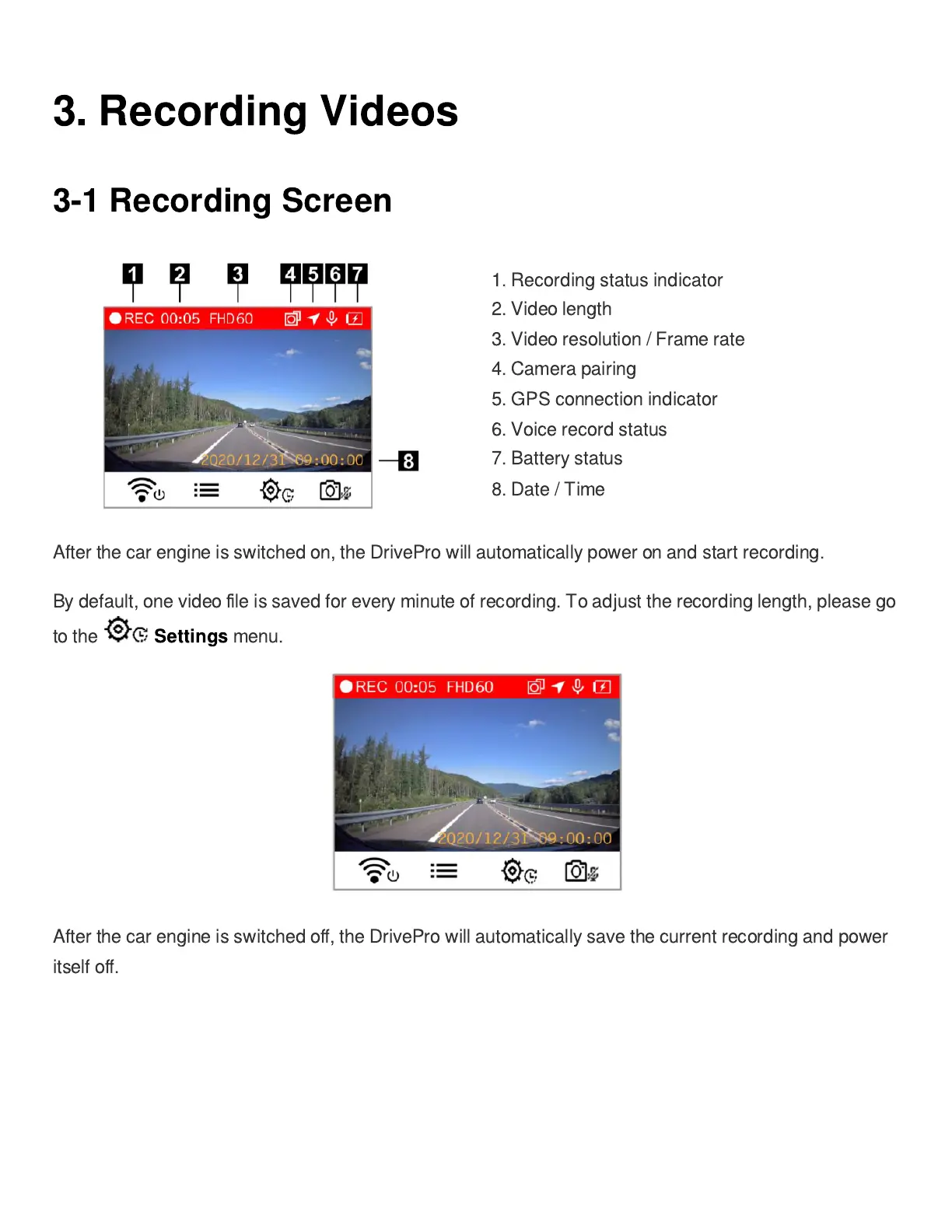
1. Recording status indicator
2. Video length
3. Video resolution / Frame rate
4. Camera pairing
5. GPS connection indicator
6. Voice record status
7. Battery status
8. Date / Time
After the car engine is switched on, the DrivePro will automatically power on and start recording.
By default, one video
fi
le is saved for every minute of recording. To adjust the recording length, please go
to the
Settings
menu.
After the car engine is switched o
ff
, the DrivePro will automatically save the current recording and power
itself o
ff
.















 To Next Page