3-2 Emergency Recording
30% of the storage space will be saved for emergency video
fi
les. Video
fi
les recorded in emergency
mode are protected from being overwritten.
Manual Emergency Recording
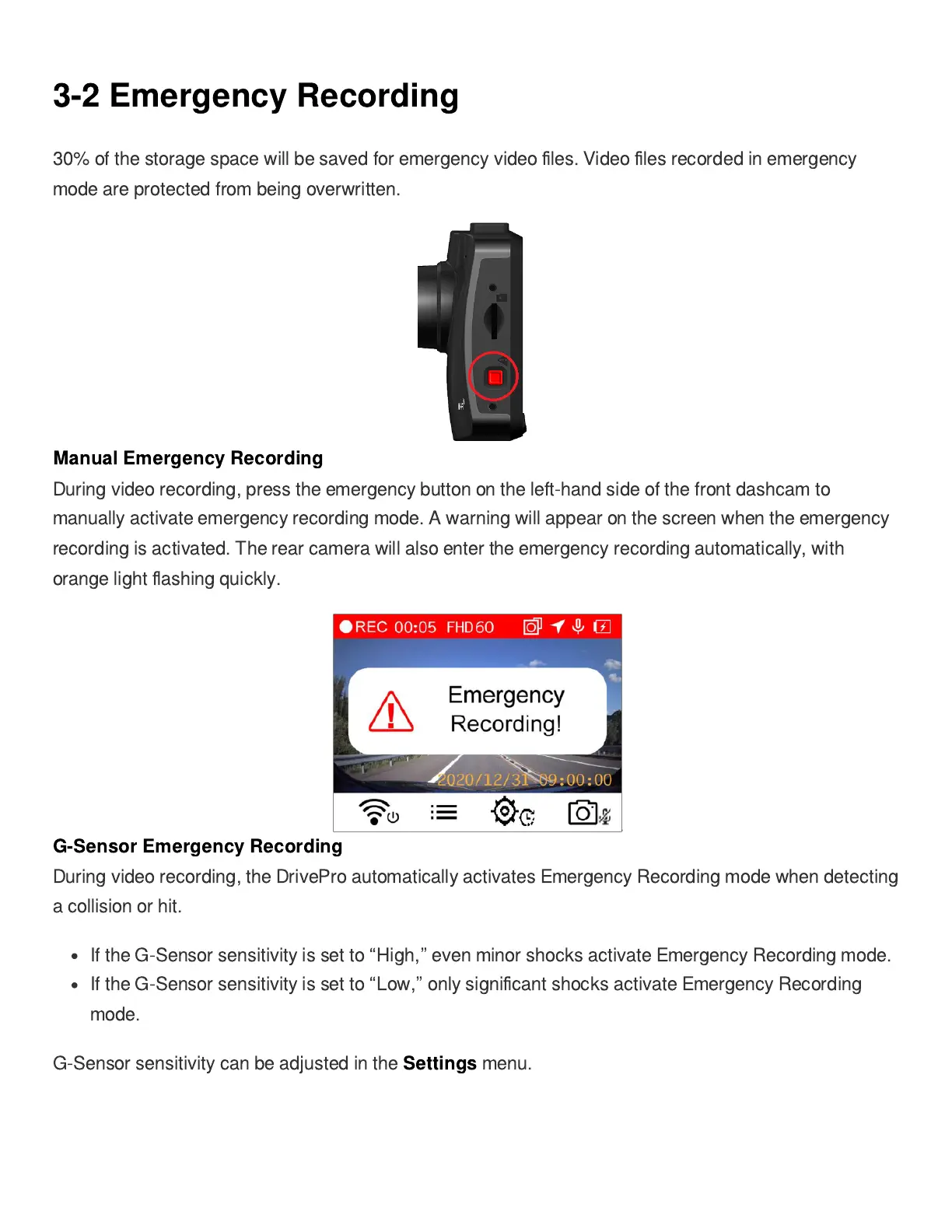
During video recording, press the emergency button on the left-hand side of the front dashcam to
manually activate emergency recording mode. A warning will appear on the screen when the emergency
recording is activated. The rear camera will also enter the emergency recording automatically, with
orange light
fl
ashing quickly.
G-Sensor Emergency Recording
During video recording, the DrivePro automatically activates Emergency Recording mode when detecting
a collision or hit.
If the G-Sensor sensitivity is set to
“
High,
”
even minor shocks activate Emergency Recording mode.
If the G-Sensor sensitivity is set to
“
Low,
”
only signi
fi
cant shocks activate Emergency Recording
mode.
G-Sensor sensitivity can be adjusted in the
Settings
menu.















 To Next Page