4. Browsing and Playing Videos
4-1 Playing Videos / Browsing Photos
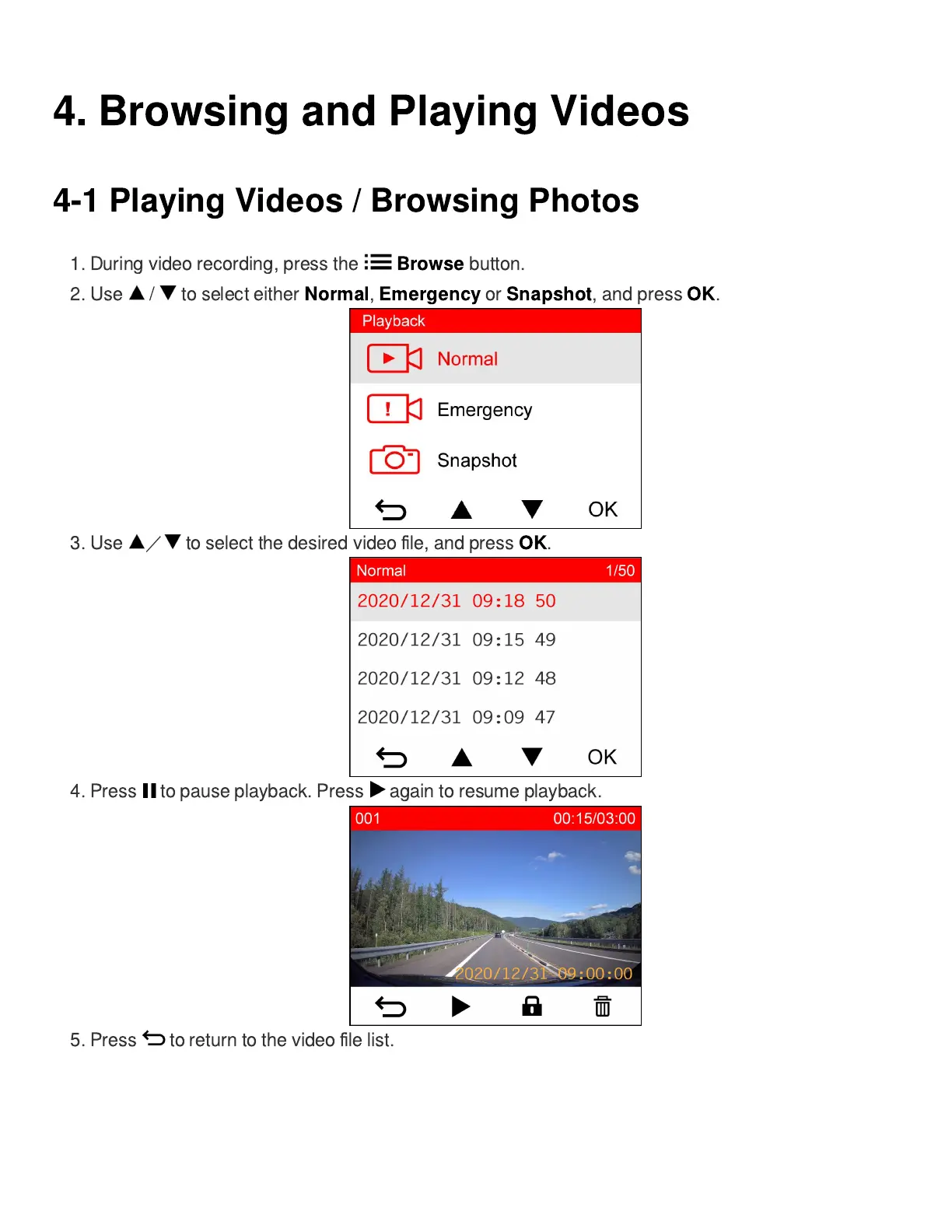
1. During video recording, press the
Browse
button.
2. Use / to select either
Normal
,
Emergency
or
Snapshot
, and press
OK
.
3. Use
/
to select the desired video
fi
le, and press
OK
.
4. Press to pause playback. Press again to resume playback.
5. Press to return to the video
fi
le list.















 To Next Page