EasyManua.ls Logo

Transcend DrivePro 620 - 4-2 Deleting Videos; 4-3 Protecting Videos

Transcend DrivePro 620
40 pages
Print Icon
To Next Page IconTo Next Page
To Previous Page IconTo Previous Page
Loading...
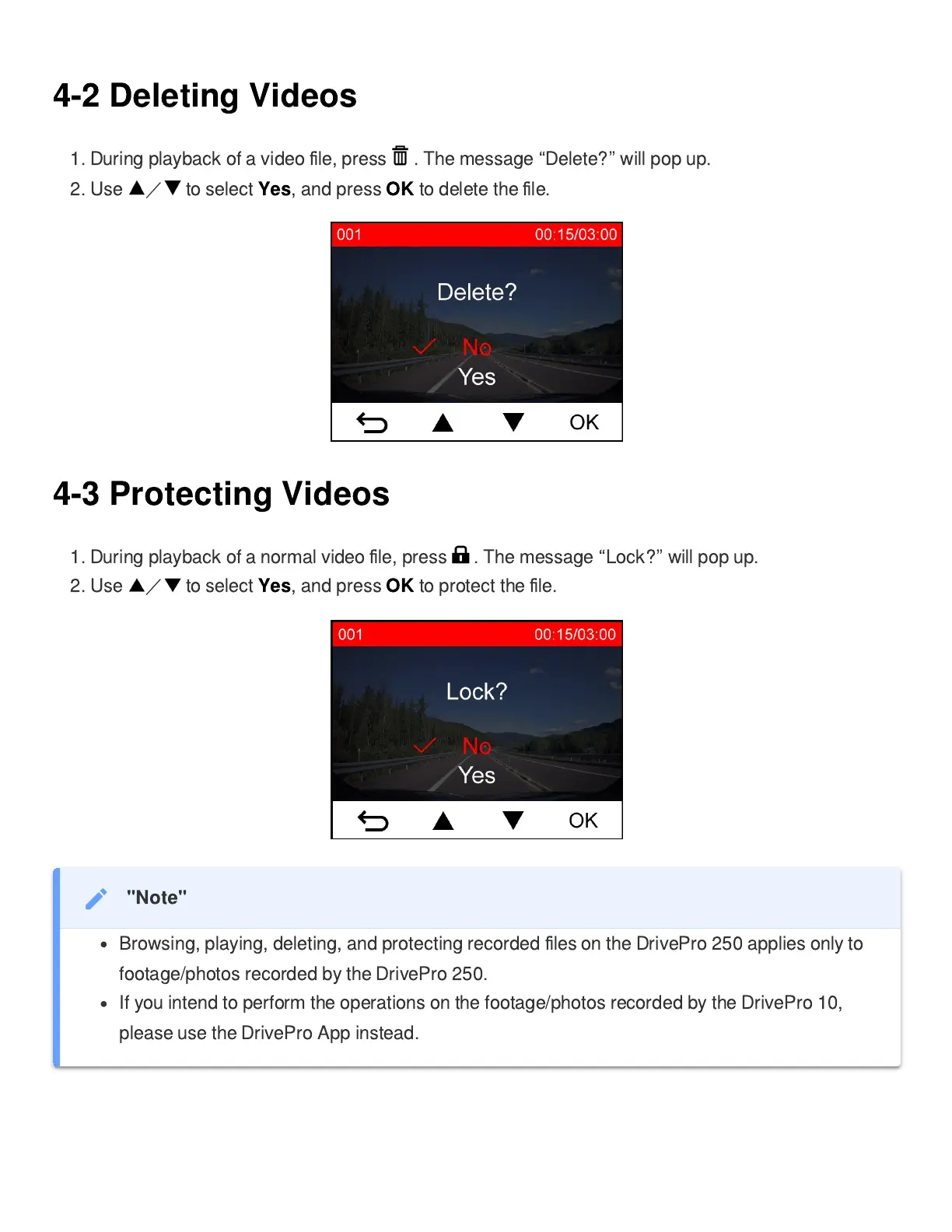
4-2 Deleting Videos
1. During playback of a video
le, press . The message
Delete?
will pop up.
2. Use
to select
Yes
, and press
OK
to delete the
le.
4-3 Protecting Videos
1. During playback of a normal video
le, press . The message
Lock?
will pop up.
2. Use
to select
Yes
, and press
OK
to protect the
le.
"Note"
Browsing, playing, deleting, and protecting recorded
les on the DrivePro 250 applies only to
footage/photos recorded by the DrivePro 250.
If you intend to perform the operations on the footage/photos recorded by the DrivePro 10,
please use the DrivePro App instead.


Related product manuals