6-3 Playing Videos on a Smart Device
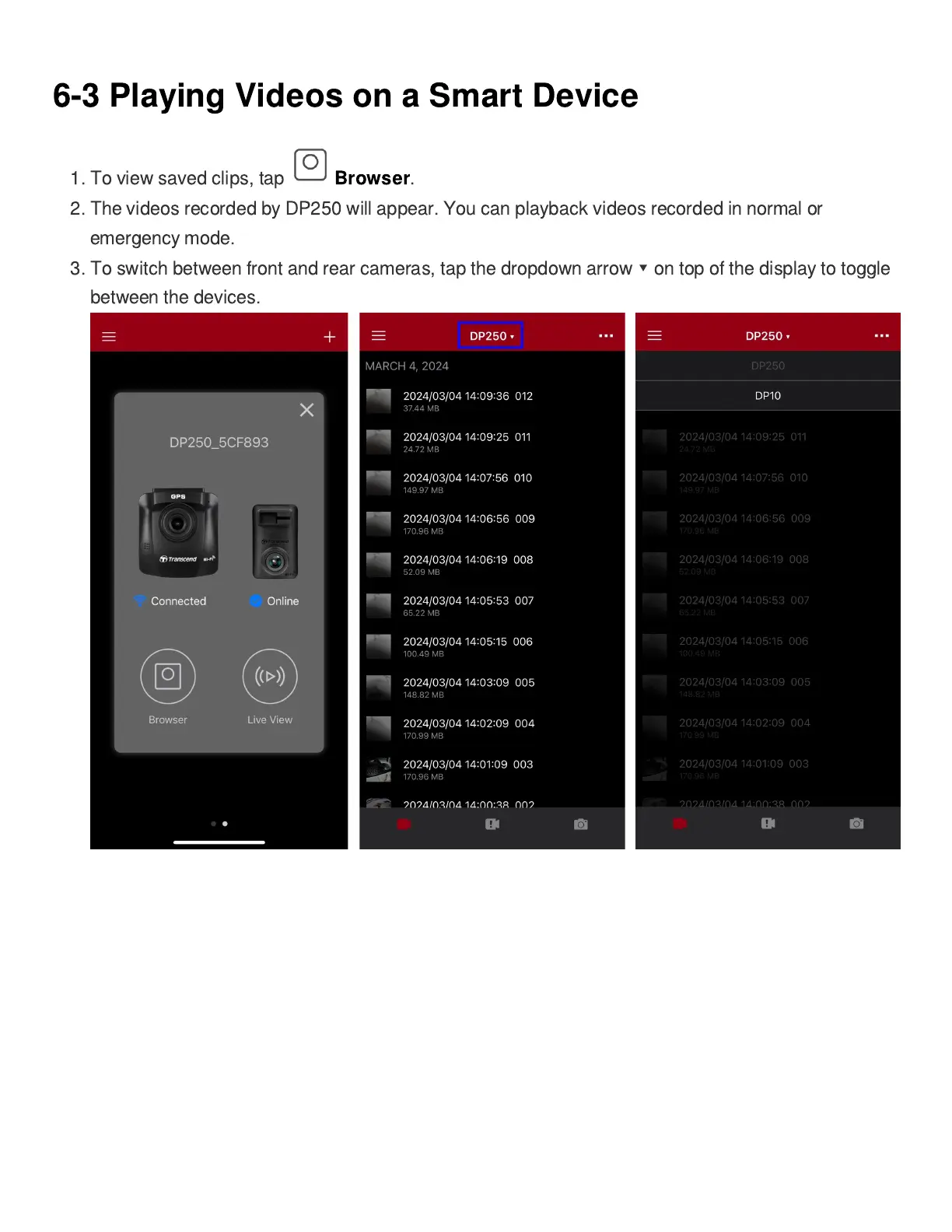
1. To view saved clips, tap
Browser
.
2. The videos recorded by DP250 will appear. You can playback videos recorded in normal or
emergency mode.
3. To switch between front and rear cameras, tap the dropdown arrow
▾
on top of the display to toggle
between the devices.















 To Next Page