
 Need help?
Do you have a question about the Transcend Slim Portable DVD Writer and is the answer not in the manual?
Provides safety guidelines for operating the DVD writer under various conditions and handling.
Details safety precautions and recommendations during the data writing process to prevent damage.
Lists all items included in the DVD Writer package.
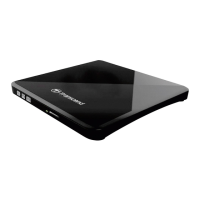
Describes the physical features and components of the DVD Writer, including front and rear views.
Details the dimensions, weight, interface, and supported disc types for the DVD Writer.
Explains how to connect the DVD Writer to a computer using the provided USB cable.
Provides step-by-step instructions on how to properly insert a disc into the DVD Writer's tray.
Details the process for safely removing a disc from the DVD Writer for both Windows and Mac users.
Describes the features and benefits of the CyberLink Power2Go software for burning discs.
 General
| Interface | USB 2.0 |
|---|---|
| Supported Disc Types | DVD-R, DVD-RW, DVD+R, DVD+RW, CD-R, CD-RW |
| Read Speed | 8x (DVD), 24x (CD) |
| Write Speed | 24x (CD-R), 16x (CD-RW) |
| Operating System Compatibility | Windows, macOS |

 To Next Page