

EasyManua.ls Logo

Transcend TS-PDU3 - User Manual

Transcend TS-PDU3
14 pages
Print Icon
To Next Page IconTo Next Page
Loading...
User’s Manual
USB 3.0 Expansion Card
TS-PDU3
(Version 1.4)
Question and Answer IconNeed help?

Do you have a question about the Transcend TS-PDU3 and is the answer not in the manual?

Summary

Introduction

Package Contents

Lists the items included in the USB 3.0 Expansion Card package.

Product Features

System Requirements

Safety Precautions

General Use Safety

Provides guidelines for safe handling and operation of the expansion card.

Data Transfer Safety and Advice

Advises on data backups and driver importance for data transfer.

Power Connection Requirements

Explains the necessity of connecting the 4-pin power connector for the card.

Product Overview and Components

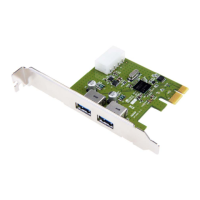
USB 3.0 Ports Identification

Identifies the external USB 3.0 connection ports on the card.

PCI Express Connector Details

Specifies the interface used to connect the card to the motherboard.

4-pin Power Input Port

Indicates the location for the auxiliary power connection.

Card Installation Bracket

Refers to the bracket used to secure the card in the PC case.

Hardware Installation Guide

Driver Installation Process

Troubleshooting Common Issues

USB 3.0 Device Recognition Problems

Steps to diagnose and resolve issues where USB 3.0 devices are not detected.

Computer Power On Issues

Steps to diagnose and resolve issues where the computer fails to power on.
Product Specifications

Ordering Information

Transcend Limited Warranty Terms

Summary

Introduction

Package Contents

Lists the items included in the USB 3.0 Expansion Card package.

Product Features

System Requirements

Safety Precautions

General Use Safety

Provides guidelines for safe handling and operation of the expansion card.

Data Transfer Safety and Advice

Advises on data backups and driver importance for data transfer.

Power Connection Requirements

Explains the necessity of connecting the 4-pin power connector for the card.

Product Overview and Components

USB 3.0 Ports Identification

Identifies the external USB 3.0 connection ports on the card.

PCI Express Connector Details

Specifies the interface used to connect the card to the motherboard.

4-pin Power Input Port

Indicates the location for the auxiliary power connection.

Card Installation Bracket

Refers to the bracket used to secure the card in the PC case.

Hardware Installation Guide

Driver Installation Process

Troubleshooting Common Issues

USB 3.0 Device Recognition Problems

Steps to diagnose and resolve issues where USB 3.0 devices are not detected.

Computer Power On Issues

Steps to diagnose and resolve issues where the computer fails to power on.

Product Specifications

Ordering Information

Transcend Limited Warranty Terms

Transcend TS-PDU3 Specifications

General IconGeneral
BrandTranscend
ModelTS-PDU3
CategoryPCI Card
LanguageEnglish