This document is the user's manual for the TRANSIT Platinum Series 32" LED TV DVD COMBO, model FSTV-3222P. It provides essential information for safe operation, technical specifications, and usage instructions for the device.
Function Description:
The TRANSIT FSTV-3222P is a 32-inch LED TV with an integrated DVD player, designed for home entertainment. It functions as a television receiver, capable of displaying video content from various sources, and also includes a built-in DVD combo for playing optical discs. The device supports both NTSC and ATSC TV systems, making it suitable for receiving both analog and digital broadcast signals. It features a range of input options for connecting external devices, including HDMI, AV, and USB. The integrated DVD player allows users to watch movies and other content directly from DVDs without the need for an external player. The TV also offers smart features, including access to streaming applications like Netflix, YouTube, Prime Video, and Pandora, when connected to a network.
Important Technical Specifications:
- Display Screen Type: Color LED display
- Model: FSTV-3222P
- Maximum Resolution: 1920x1080
- Power Supply: DC 12V⎓6A
- TV System: NTSC System, ATSC System
- Frequency Range: Antenna: 2~69; Cable: 1~135 (Analog: 1-125, Digital: 1-135)
- Video Input Format: PAL/NTSC
- Antenna Input: Antenna socket 75Ω
- Average Power Consumption: 50W
- Dimensions (LxWxH): 28.8 x 7.5 x 18.9 inches
- Weight (Net Weight): 4.2 Kg
- Operation Environment Temperature: 0°C-35°C
Usage Features:
The TV is controlled via a remote control unit, which includes standard buttons for power, input selection, channel navigation, volume control, and DVD playback.
- Startup Wizard: Guides users through initial setup, including language selection, time zone, DST settings, network configuration (Wi-Fi or wired), and TV mode (Home/Shop).
- Input Sources: Supports multiple input sources such as TV, AV, DVD, HDMI1, HDMI2, and USB, selectable via the "SOURCE" button on the remote or main unit.
- Menu Operation: A comprehensive on-screen menu system allows users to adjust various settings:
- Picture Settings: Picture Mode (Standard, Movie, Sport, Vivid, Brighter), Contrast, Brightness, Color, Sharpness, Tint, Backlight, Reset Picture Mode, Color Temperature (Cool, Normal, Warm), Aspect Ratio (4:3, 16:9, Movie, Subtitle), Noise Reduction (Off, Low, Medium, High, Auto).
- Sound Settings: Sound Mode (User, Standard, Vivid, Sports, Movie, Music, News), Balance, Auto Volume Limit, Surround Sound, Dolby Audio Process, Dialogue Enhancement (Off, Low, Medium, High), Digital Output Mode (Auto, PCM, Trans-code Dolby Digital, Trans-code Dolby Digital Plus), Audio Type (Normal, Hearing Impaired, Audio Description), Audio Delay.
- System Settings: Language (default English, with options for first and second audio languages), OSD Time, Link Setup, Time, Bluetooth, Close Caption, TTS, TV Mode (Home), Reset (restores initial data).
- Lock System: Allows users to set a password (initial 0000) and block programs.
- Program Settings: Tuner Mode (Antenna), Auto Tuning, DTV Manual Tuning, ATV Manual Tuning, Signal Information.
- Network Settings: Wi-Fi (Connected/Not connected), Ethernet (Not connected), Wake On LAN, Wake On WLAN. Supports various connection types including password-protected, open, manual add, and point-to-point direct connections. IP settings can be automatic or static.
- About: Displays information related to OTA updates, model, Android version, and version number.
- DVD Combo: Integrated DVD player with control buttons on the remote for play/pause, stop, previous, next, backward, and forward. DVD setup options include TV System, Power Resume, TV Type (screen ratio), Password, Rating, and Default settings.
- Media Playback: Supports playback of Audio, Video, and Photo files from USB storage.
- Smart TV Features: Access to pre-installed applications like Netflix, YouTube, Prime Video, Pandora, and other apps via the "HOME" menu, requiring network connectivity.
- Accessibility: Includes features like Close Caption and TTS (Text-to-Speech).
Maintenance Features:
- Safety Instructions: Emphasizes important safety precautions such as reading and keeping instructions, heeding warnings, following instructions, avoiding water, cleaning with dry cloth, ensuring proper ventilation, avoiding heat sources, using polarized/grounding plugs correctly, protecting power cords, using specified attachments/accessories, and exercising caution with carts/racks.
- Power Management: Unplug during lightning storms or prolonged disuse.
- Cleaning: Clean the front cabinet with a soft, dry, lint-free cloth. Avoid petrol, chemical, or alcohol-based solvents.
- Battery Replacement: Instructions for installing and replacing two 1.5V AAA batteries in the remote control, ensuring correct polarity. Advises against mixing old and new batteries and removing batteries during extended periods of disuse to prevent leakage.
- Troubleshooting Guide: Provides solutions for common issues such as no picture/sound, no sound, monochrome picture, sound/picture interference, and DTV picture pixelation. It suggests checking power connections, input sources, volume, mute status, sound system mode, color system settings, antenna position, and re-tuning channels.
- Servicing: Refers all servicing to qualified personnel, especially if the apparatus is damaged, exposed to moisture, or not operating normally. Warns against opening the back cover due to high voltages.
- FCC Compliance: The device complies with FCC rules, ensuring it does not cause harmful interference and accepts received interference. It also includes guidelines for correcting interference and a radiation exposure statement, recommending a minimum distance of 20cm from the radiator to the body.

 Need help?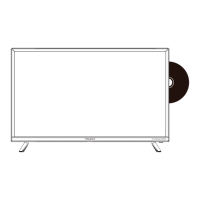

 To Next Page
 General