Transition Networks S8TB User Guide
33672 Rev. A www.transition.com Page 6 of 9
2. Hardware Description
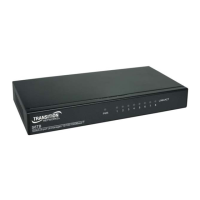
This section mainly describes the hardware of the 8-port 10/100/1000Base-T Switch, and gives a physical and
functional overview of the Switch.
Physical Dimensions
The physical dimension of the 8-port 10/100/1000Base-T Switch is 165mm x 32.5mm x 100 mm (W x H x D).
LED Indicators
The LED Indicators gives real-time information of systematic operation status. The following table provides
descriptions of LEDs status and their meaning.
LED Panel
LED Indicator Descriptions
LED Status Description
Steady Green Port connection on 1000Mbps
LK/ACT Steady Amber Port connection on 10/100Mbps
Off Port disconnect
Power On
Connect the power cord to the power socket on the rear panel of the Switch.
Connect the other side of power cord to the power outlet.
The power rating of the switch is AC voltage ranging from 100-240VAC, frequency 50~60Hz.


 To Next Page