Transition Bicycle Company™ 2023 | transitionbikes.com | (360) 366-4960 | info@transitionbikes.com
QUICK START GUIDE:
Riding Support Modes
Alternate Support Modes
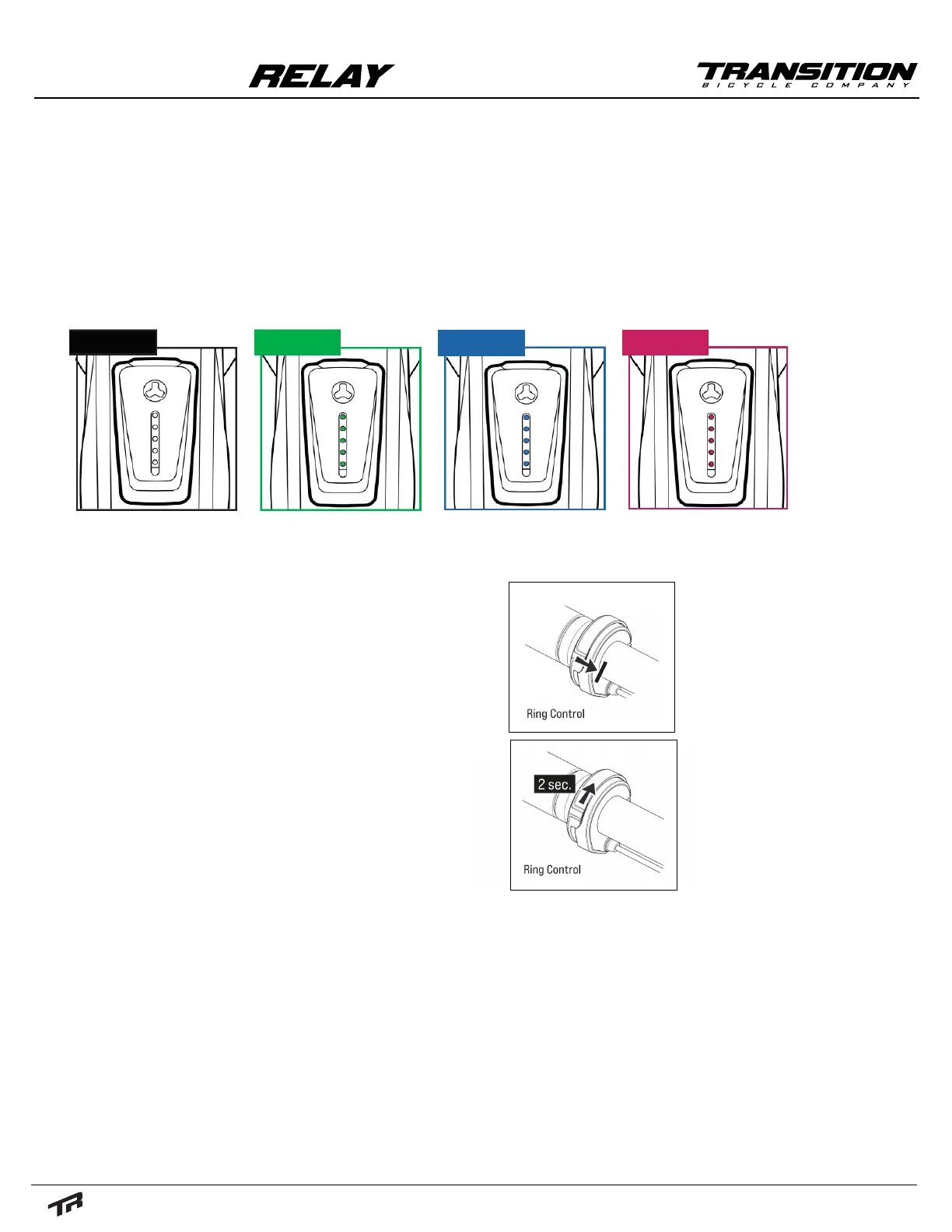
The Relay comes with 4 different riding-support modes in addition to Boost and Walk Assist
modes. The Ring-Controller on the handlebar can be used to toggle between modes. The current
mode will be indicated by the LED Hub. The Hub will change color based on the level of support.
No Support (white) is indicated by white LEDs. Breeze (green) will be the least amount of support
and will give you the longest battery life. River (blue) will be a moderate amount of power. Rocket
(magenta) will give you the most amount of support but leaving it in this mode will use the most
battery life.
• To engage "Walk Mode," cycle the support mode to
white/no support. Once in this mode, press and hold
the ring controller inwards toward the center of the
bike while walking with the bike. The LED Hub lights
will cycle from top to bottom to indicate that you are
in walk mode.
• To disengage, simply release the ring controller.
• To use "Boost Mode," the bike must be in Breeze, River,
or Rocket Mode. Boost Mode will give you the maxi-
mum amount of power regardless of the current mode
for a short period of time.
• To engage, press and hold the ring controller in the up
position, until the lights on the LED Hub start to cycle.
• To disengage, either cycle support to No Support or
press and hold the ring controller in the up position
until the LED Hub lights stop cycling.
NONE BREEZE
RIVER
ROCKET


 To Next Page
 Loading...