21
2. Network settings
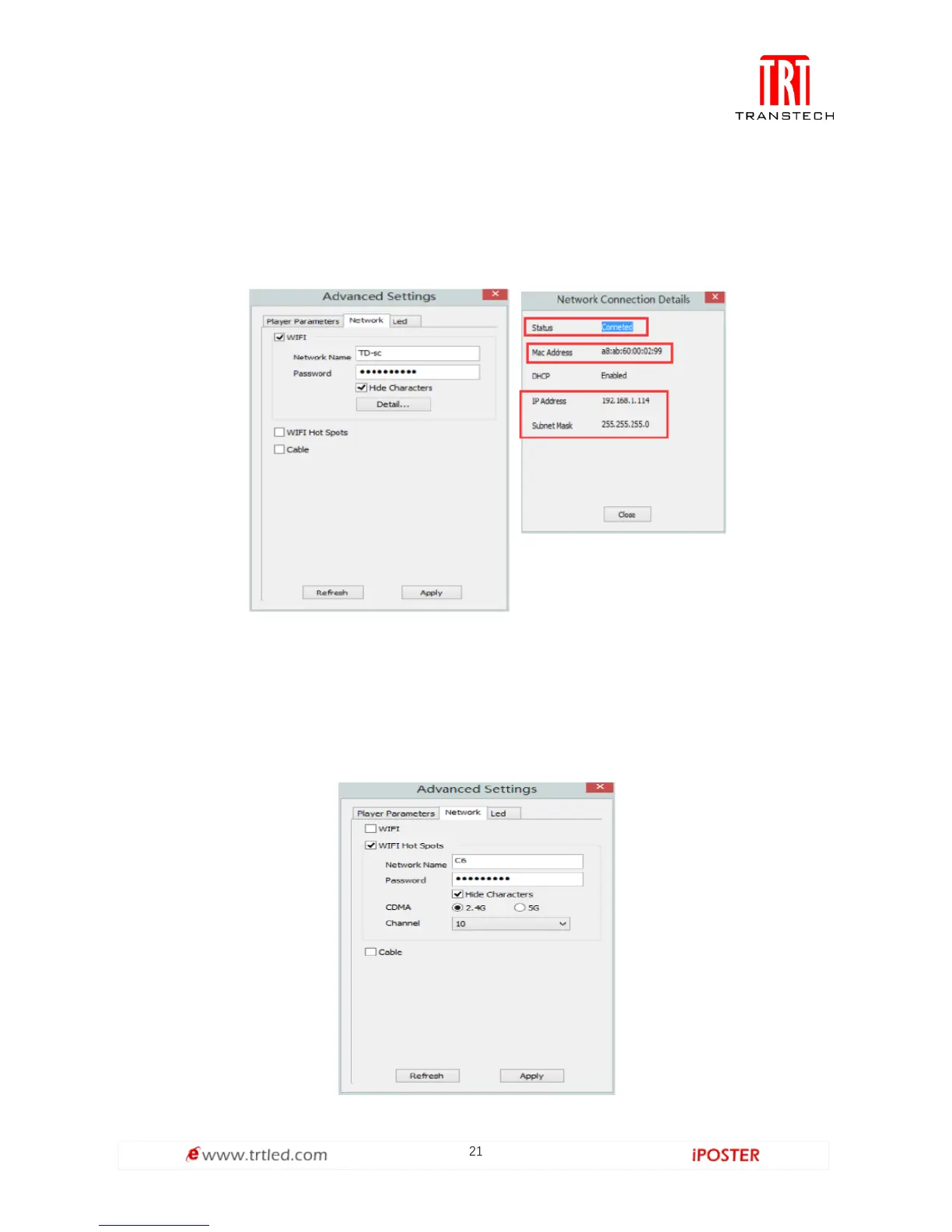
① WiFi
Check [ WiFi ] in network tab, and input your WiFi login information for [ network
name ] and [ password ], then click [ Apply ] and [ Refresh ] to complete setting, click
[ detail... ] to check connection status.
② WiFi Hotspot
Input your [ network name ] and [ password ] to use a WiFi Hotspot.
CDMA: 2.4G or 5G (5G mode will be faster and more reliable if both smart phone and
computer support 5G WiFi.)
Channel: 14 choices, to avoid network overload.



 To Next Page