26
Network Management of C6
Connection and Management
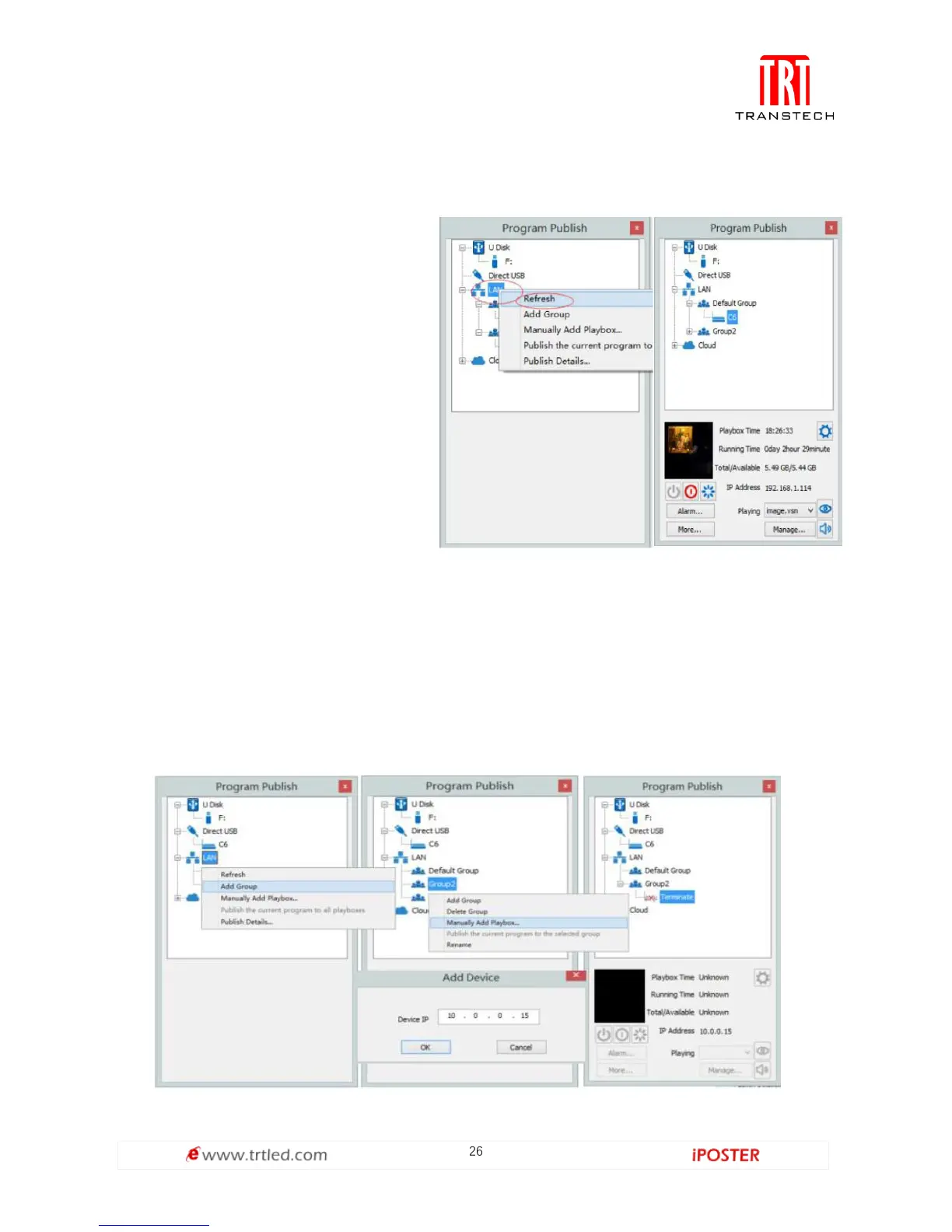
1. LAN Connection: Connect C6 to
network through WiFi or LAN port.
2. C6 network management: After
controlled end ( PC, smart phone, or
other device) and C6 are connected
into same LAN, select [ LAN ] then
[ Refresh ]. LEDVISION will auto
identify C6, which will have already
connected to same network and
place C6 into Default Group. You
can manage your C6 under Default
Group.
Add Group and C6
1. Add Group: Select [ LAN ], and right-click to choose [ Add Group ].
2. Add C6 Device: Select any playbox group, and right-click to choose [ Manually Add
Playbox ], then input C6’s corresponding IP (Add even if your device did not connect
to network).



 To Next Page