32
3. Terminal Connection with Internet
The C6 can be connected to Internet by WIFI, 3/4G, and network cable. In order to
connect with the server, you should:
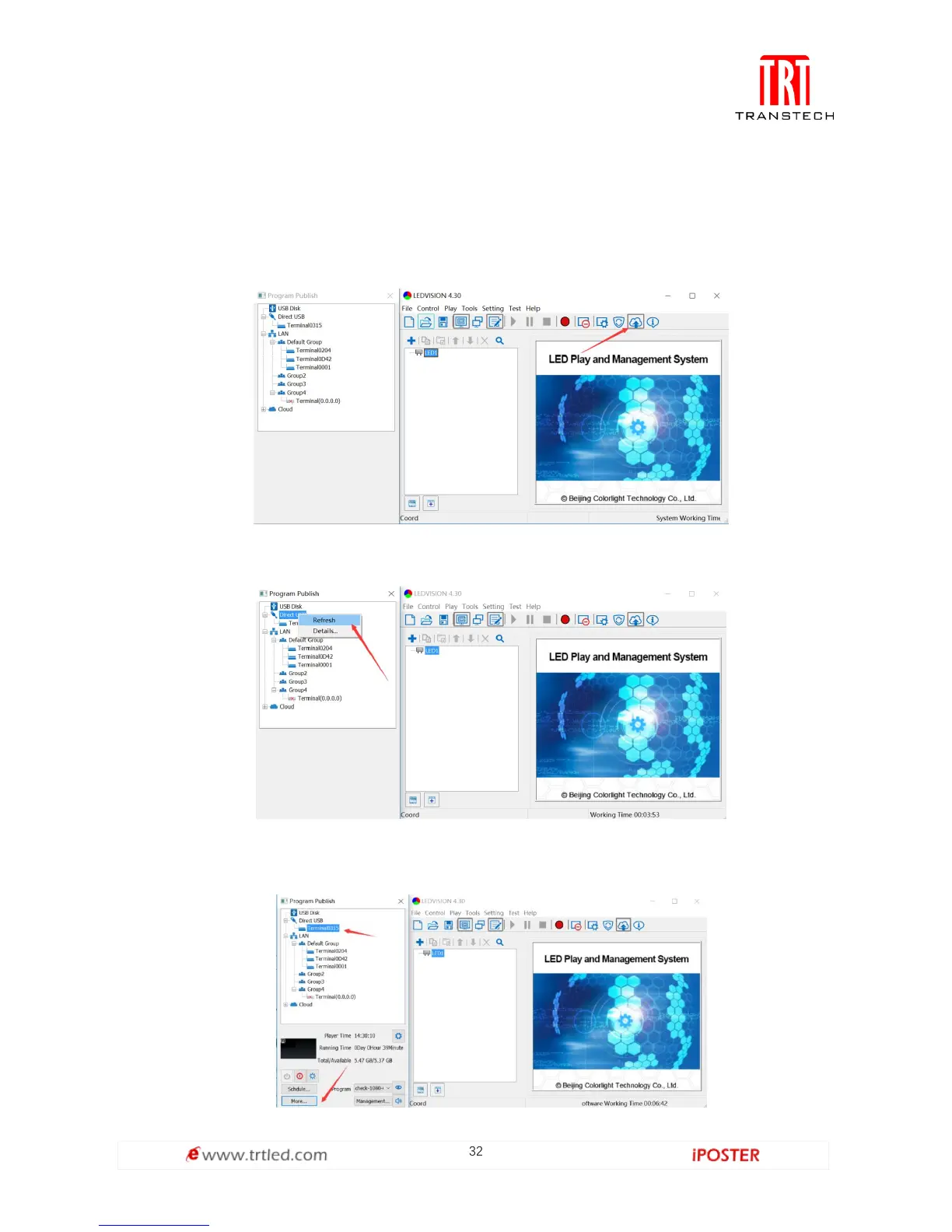
A. Connect the computer via USB cable provided,
B. Start LEDVISION,
C. Click "Publish program to C6 player",
D. Refresh and find the player currently connected via the USB Cable,
E. Click the player to select it,
F. Click the "More..." button on the bottom panel,



 To Next Page