Chapter 3 How to configure your GPS Record?
The GpsView program only supports the Microsoft Windows based platform.
3.1 Driver Installation
Before the USB connector plugs in your PC/ Laptop, please have your USB Driver
Installation ready. (Install InstallDriver.exe driver for USB port from CD-ROM.)
3.2 GpsView software
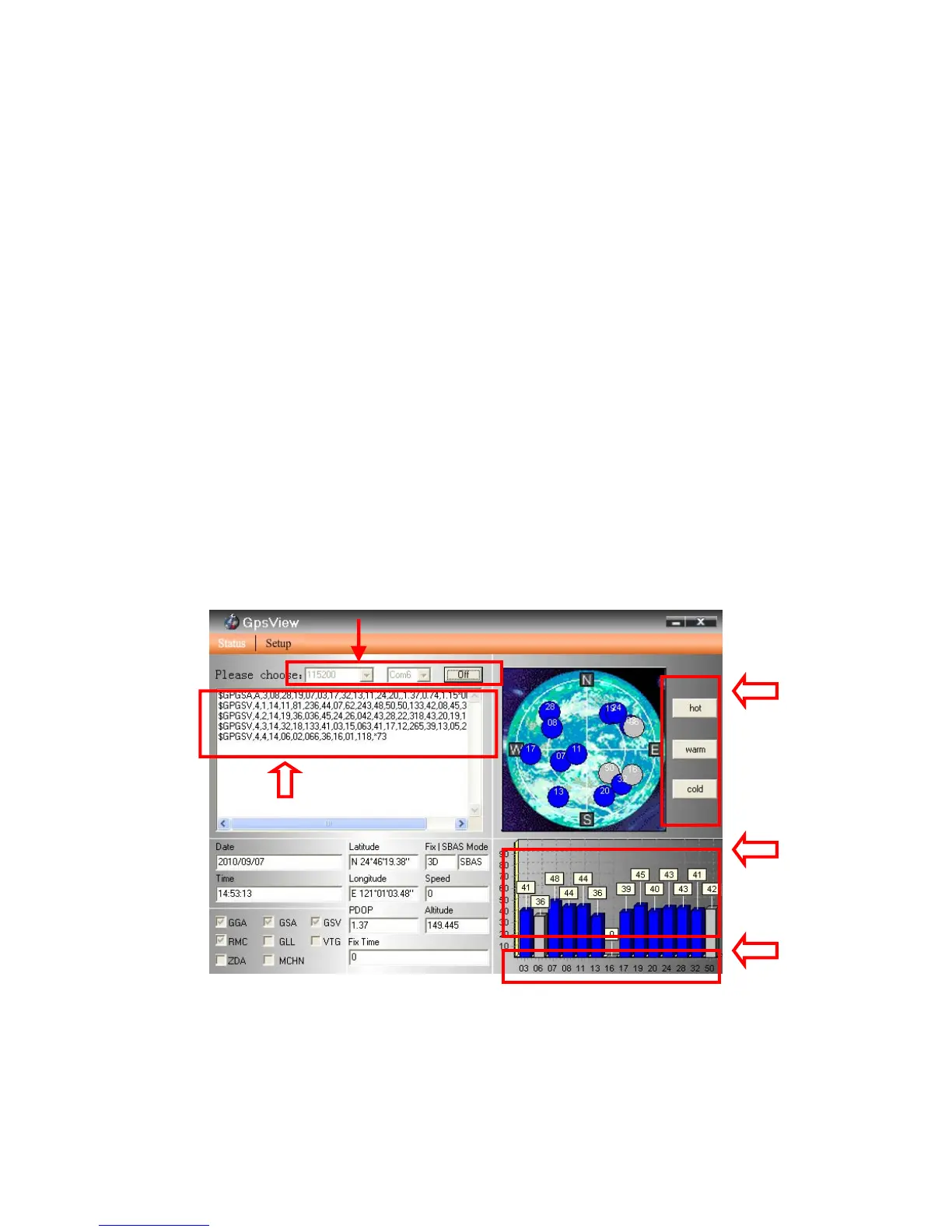
Open GpsView software and select correct COM port and Baud Rate and then click “On”
button to establish the communication between 747ProS and PC. If the connection is
successful, the NMEA stream will keep showing.
Default baud rate of 747ProS is 115200bps
NMEA sentence
Satellite
reception
Satellite No.
Cold, warm and
hot start test
button
11


 To Next Page