Indoor Mobility Point™ Quick Start Guide
21
Trapeze Networks
a. Loop the Kensington lock cable around an object that cannot be moved or damaged by a person
pulling on the cable.
b. Insert the key into the Kensington lock.
c. Insert the Kensington lock into the security slot on the MP.
d. Rotate the key right or left to secure the lock to the MP.
e. Pull on the lock to verify that it is secured to the MP.
f. Remove the key.
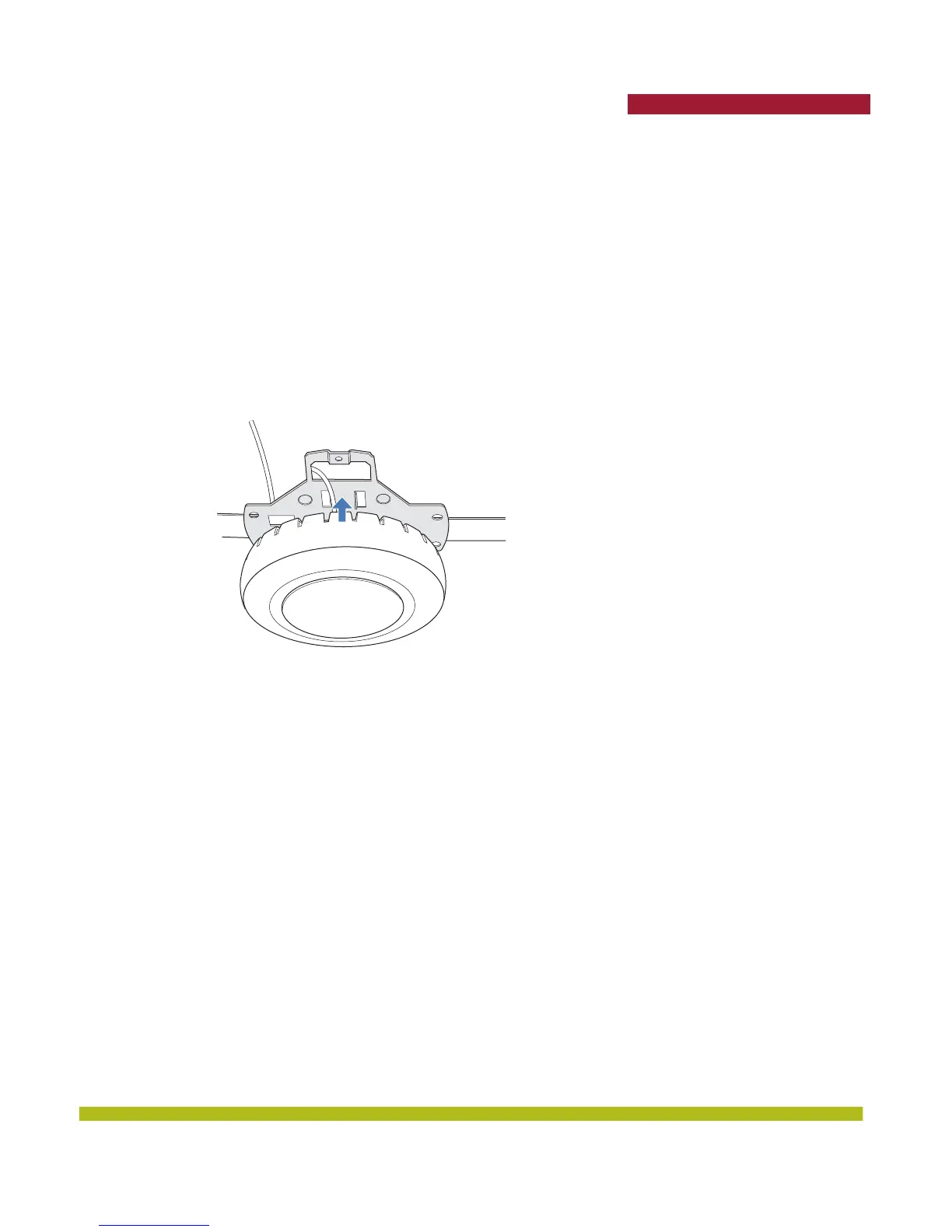
11. Lift the MP into place on the universal mounting bracket as shown in Figure 1–10 below.
Make sure the cable feeds properly into the ceiling as you lift the device, and does not become
trapped between the MP and the bracket.
Figure 1–10. Step 10—Placing the MP on the Bracket



 To Next Page