Rev 2, 12.02.2016 16
Parameter settings
Setting Zero range when power on
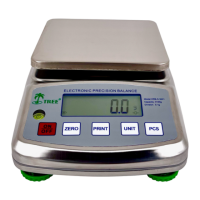
Press the “On/Off” key, and when “ - - - - - - “ shows, press “PCS” key, display
will show “ Pzr xxx”, press the “Unit” key to select, factory default setting is 20.
Setting zero range of ZERO key
Press “On/Off” key, and when“ - - - - - - “ shows, press “PCS” key, and then
press “Zero” key, display shows “ Kzr xx ”, press UNIT key to select, factory
default setting is 4.
Setting Zero range of TARE key
Press the “On/Off” key, and when“ - - - - - - “ shows, press “PCS “ key,
and then press “Zero” key multiple times till display shows “ Ktr xxx”,
press the “Unit” key to select, factory default setting is 100.
Setting overload range
Press the “On/Off” key, and when “ - - - - - - “ shows , press “PCS”
key, and then press “Zero” key multiple times till display shows “ Ovr
xx ”, press the “Unit” key to select, factory default setting is 9d
Setting Beeper
Press ON/OFF key, and when“- - - - - - “shows, press PCS key, and then
press ZERO key multiple times till display shows “b2 ON” or “b2 OFF”, press
the “Unit” key to switch it on or off.
Setting ZERO and TARE function merge function
Press the “On/Off” key, and when“- - - - - - “shows, press “PCS” key, and
then press the “Zero” key multiple times till display shows “Zt ON” or “Zt
OFF”, press “Unit” key to switch it on or Off, in these models, it has to be set
off.
Setting Auto Shut off
Press the “On/Off” key, and when“- - - - - - “shows, press “PCS” key, and
then press “Zero” key multiple times till display shows “A ON” or “A OFF”,
Press “Unit” key to select Auto shut off mode “ON” or “OFF”


 To Next Page