EasyManua.ls Logo

TrekStor SurfBook A13B - User Manual

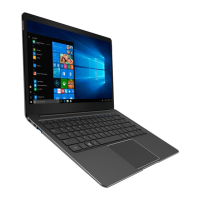
TrekStor SurfBook A13B
38 pages
Print Icon
To Next Page IconTo Next Page
Loading...
PRIMEBOOK P13
SURFBOOK A13B
EN OPERATING INSTRUCTIONS

Table of Contents

Question and Answer IconNeed help?

Do you have a question about the TrekStor SurfBook A13B and is the answer not in the manual?

Summary

Welcome

Intended Use

Safety Symbols and Keywords Explanation

General Safety Information

Product Technical Specifications

Power Adapter Technical Specifications

Details input voltage, current, output, and manufacturer of the power adapter.

Device Controls and Ports

Installing M.2 SSD Module (Optional)

First-Time Surfbook Startup

Charging the Surfbook Battery

Instructions on how to charge the Surfbook battery.

Powering On the Surfbook

Steps for powering on the Surfbook device.

Unlocking the Device Display

How to unlock the device's screen after it has booted or been woken up.

Disabling Windows 10 S Mode (Optional)

Key Elements of the Start Screen

Keyboard Usage

Keyboard Special and Function Keys

Details the function of special keys and function buttons on the keyboard.

Touchpad Operation

Using the Info Center

Start Menu Access and Usage

How to Access the Start Menu

Explains the methods to open and display the Start menu.

Start Menu Interface Layout

Describes the structure and organization of the Start menu interface.

Navigating and Selecting Start Menu Items

Instructions on how to find and select items within the Start menu.

Managing Start Menu Apps

How to customize the Start menu by pinning, organizing, and removing apps.

Accessing Device Settings

Connecting to the Internet

Connecting to Wi-Fi Networks

Step-by-step instructions for connecting to a wireless network.

Browser Launch and Web Address Entry

Downloading Apps from Windows Store

Changing Display Language

Using the Built-in Camera

File Transfer Between Devices

File Transfer via Bluetooth

Step-by-step guide to transfer files using Bluetooth connectivity.

File Transfer to External Storage

How to transfer files between the Surfbook and external storage devices.

Connecting to a Television

Connecting via HDMI Cable

Guide on connecting the Surfbook to a TV using an HDMI cable.

Connecting via Miracast Wireless

Instructions for wireless display connection using Miracast technology.

Resetting the Surfbook

Switching Off and Restarting the Surfbook

Energy Saving Tips

Troubleshooting and FAQ

Glossary of Terms

Copyright and Trademark Notices

Disposal and Recycling Guidelines

Disposal Considerations

Explains the importance of proper disposal and its environmental impact.

Recycling Information

Information on how to recycle the device and its packaging materials.

Warranty Information

Customer Support Information

TrekStor SurfBook A13B Specifications

General IconGeneral
Display Size13.3 inches
Display Resolution1920 x 1080 pixels
RAM4 GB
Storage64 GB eMMC
Operating SystemWindows 10 Home
Ports1 x USB 3.0, 1 x USB 2.0, 1 x HDMI, 1 x MicroSD card reader
WirelessBluetooth

Related product manuals