
 Need help?
Do you have a question about the Tremetrics RA660 and is the answer not in the manual?
Statement of the intended use of the RA660 as a pure-tone air conduction screening audiometer.
PC based modular audiometer for screening hearing loss in subjects from 5 years to geriatric.
Details the key features and corresponding benefits of the RA660 audiometer system.
Emphasizes reading the entire manual before use and explains WARNING and CAUTION labels.
Lists and describes various regulatory symbols used in the manual and on the equipment.
Outlines essential safety precautions for operating electrical equipment and the intended user profile.
Provides general cautions regarding proper operation, handling, calibration, and use of genuine parts.
Advises on indoor use, ambient temperature, and avoiding fluid contact with electronic components.
Instructs to disconnect power in an emergency, ensuring accessibility of the power socket.
Details safety compliance with IEC 60601-1, grounding, and connecting to other medical equipment.
Advises caution regarding electromagnetic fields and refers to section 6.7 for more information.
Warns against using the device in explosive atmospheres or oxygen-enriched environments.
Emphasizes annual calibration and authorized service for proper functioning and warranty compliance.
Recommends daily subjective checks and annual calibration by a service technician.
States that the instrument should only be handled by trained personnel like audiologists or ENT doctors.
Details TREMETRICS' warranty terms, limitations, and exclusions for the RA660.
Provides recommendations for chemical disinfection of parts in direct contact with subjects.
Explains how to properly attach and insert foam ear tips into the ear canal.
Details the process of placing and compressing foam ear tips for insertion into the ear canal.
Instructs on the proper removal and disposal of used ear tips after screening.
Advises following local laws and regulations for recycling and disposing of electronic waste.
Guides on inspecting the package, carefully removing items, and checking the packing list for completeness.
Specifies requirements for the operation environment, including temperature, noise levels, and sunlight.
Provides instructions for setting up and installing the RA660 system.
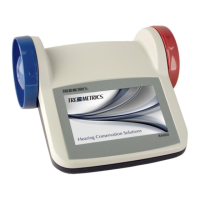
Illustrates and labels the front view of the RA660, highlighting key features like the touchscreen.
Details the connections on the back of the RA660, including USB, Interface, Response, and Phones.
Shows the front view of the Interface Box, indicating connections for up to 8 audiometers.
Describes the connections on the back of the Interface Box, including Mic In, USB In, Power, and Line In.
Provides a visual diagram showing how to connect all RA660 components for system setup.
Guides on installing the RA660 software and USB drivers, including running Setup.exe.
Instructs on launching the RA660 software from the desktop shortcut and describes the startup screen.
Explains how to create company and plant entries in the database via the Utilities > Organization Levels menu.
Details how to create a list of examiners by accessing the Examiners icon from the software interface.
Guides on entering employee information through the Demographics tab, requiring minimum personal details.
Instructs on initiating a test by selecting Audiometrics > Audio Testing.
Explains how to select an employee and start a test from the detailed booth view.
Lists and describes error codes that may occur during automatic testing, including audio feedback messages.
Describes how to initiate tests from the Overview screen by right-clicking an audiometer's field.
Explains how to use the talkover feature to communicate with subjects from Overview or Details screens.
Details how the RA660 checks accessory connections and indicates status via a plug icon.
Explains the importance and procedure for performing a Daily Biological test for calibration verification.
Introduces the integrated simulator as an OSHA-acceptable substitute for human subjects for daily calibration checks.
Provides step-by-step instructions for placing headphones and starting the automated daily biological test.
Describes the listening check component of the Daily Biological, focusing on verifying tone quality and headphone integrity.
Explains how to start a Daily Biological test from the Overview screen using the Daily Checks option.
Guides on customizing automatic test and software parameters via the Settings icon.
Details various conditions that trigger automatic retests of frequencies during a hearing test.
Explains the room noise monitoring feature and the "Pause Testing If Over Limits" option.
Covers miscellaneous software settings like auto display questions, general questions, and reordering audiometers.
Configures settings for the Daily Biological test, including requiring listening checks and auto-printing reports.
Describes how to generate various reports from stored test data, such as Alpha Listing and Statistical Summary.
Details the RA660's continuous room noise monitoring capability using a microphone.
Explains how to export or import the database to XML or CSV formats for third-party software integration.
Guides on exporting the database to XML or CSV files via Utilities > Export Data.
Details the process of importing data files into the RA660 database using Utilities > Import Data.
Describes the wall mount kit for easy installation and includes a holder for accessories.
Lists the technical specifications of the RA660, including standards, test frequencies, and levels.
Details the connection sockets on the RA660 audiometer and their specifications.
Describes the connections and pinouts for the RA660 Interface Box.
Provides sound attenuation data for different headphone models per ISO 4869-1.
Lists calibration values and maximum output levels for the DD45 headphone model.
Lists calibration values and maximum output levels for the TDH-39P headphone model.
Provides calibration values and maximum output levels for the RADIOEAR IP 30 insert phone.
Discusses EMC compliance, suitability for hospital environments, and precautions for RF equipment.
Details the fields and data types used for exporting data from the RA660 database.
Outlines the fields and data types required for importing data into the RA660 database.
 General
| Brand | Tremetrics |
|---|---|
| Model | RA660 |
| Category | Measuring Instruments |
| Language | English |

 To Next Page