Need help?
Do you have a question about the TREND NETWORKS VDV II and is the answer not in the manual?
Warnings on high voltage connections and proper plug insertion to prevent damage and ensure user safety.
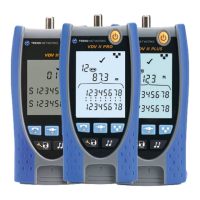
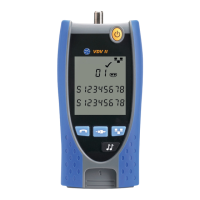
Identification of ports, buttons, display screen, and remote unit connection points on the VDV II tester.
Procedure for battery replacement, low indicator, and turning the tester ON/OFF.
Details on remote units, identifiers, and how to connect cables for testing and identification.
Connecting cables and remote units, and the automatic cable testing process.
Understanding display readouts for pin status, shorts, opens, reversals, and shield connections.
Managing Split Pair test options and the impact of voltage detection on testing.
Steps to activate, configure port/pin settings, change tone type, and control tone from the far end.
Using the DATA port to detect Ethernet devices and their short circuit patterns from network switches.
 General
| Model | VDV II |
|---|---|
| Manufacturer | TREND Networks |
| Tone Generator | Yes |
| Voltage Protection | Yes |
| Cable Types Tested | Fiber Optic, Twisted Pair, Coaxial |
| Functions | length |
| Display | LCD |
| Battery Type | Alkaline |
| Operating Temperature | 0°C to 50°C |
| Storage Temperature | -20°C to 60°C |
| Humidity | 10% to 90%, non-condensing |

 To Next Page