EasyManua.ls Logo

TRENDnet TEW-703PI - Statistics and WPS Introduction; Wi-Fi Protected Setup (WPS)

TRENDnet TEW-703PI
18 pages
Print Icon
To Next Page IconTo Next Page
To Previous Page IconTo Previous Page
Loading...
©Copyright
2
TREND
n
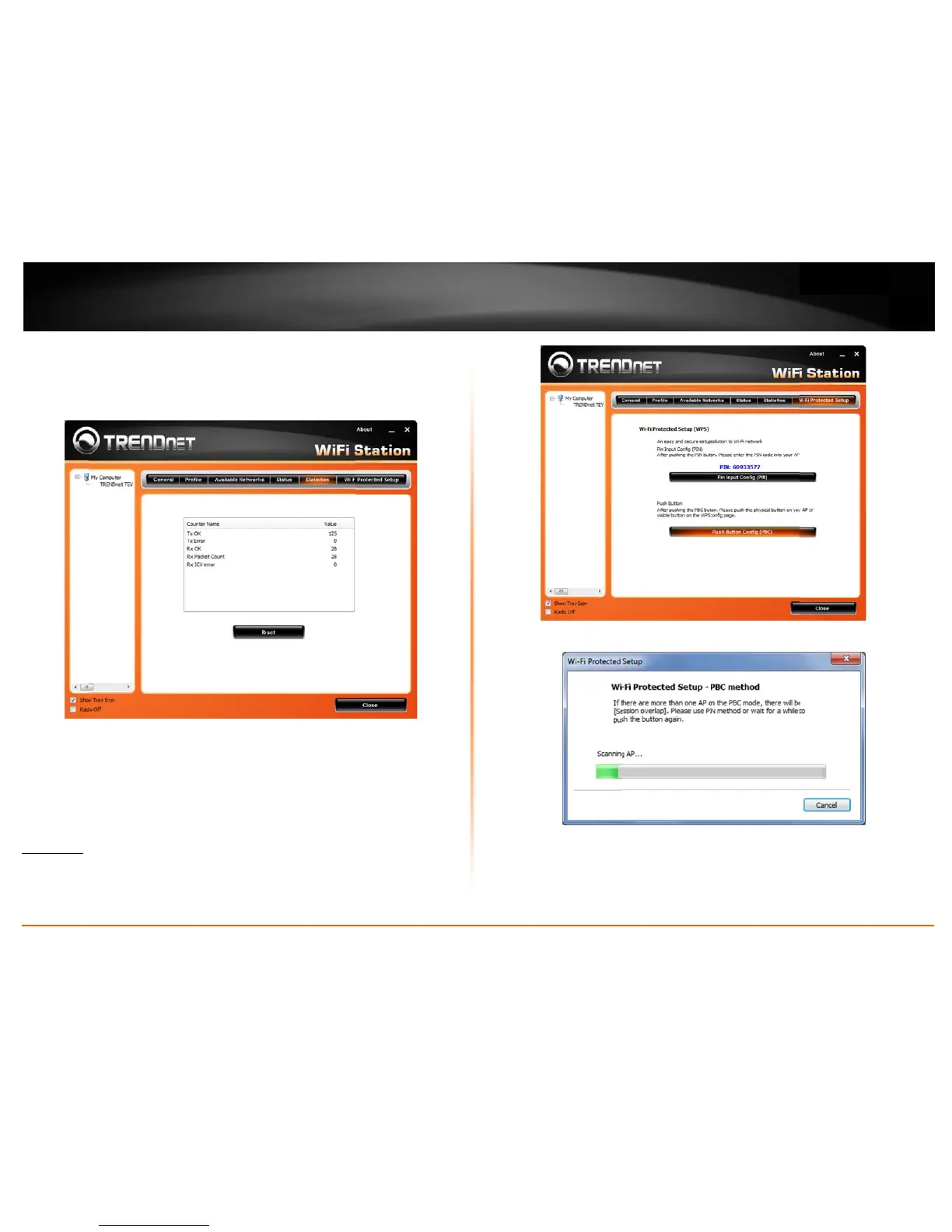
Statistics
Thissectiond
RXmeansRe
c
WPS
WiFiProtect
e
thatisdesign
e
network.The
r
PushButton
UsingtheW
P
below:
2
011TRENDnet.Al
n
etUser’sG
u
isplaysthestatisti
c
c
eption.
e
dSetup(WPS)is
a
e
dtoeasethetas
k
r
earetwomethod
P
Sconfigurationw
i
l
RightsReserved.
u
ide
c
softheadapterc
o
a
noptionalcertific
a
k
ofsettingupand
susedintheWPS
i
ththe
Push Butt
o
o
nnection.TXme
a
a
tionprogramfro
m
configuringsecuri
t
asbelowinstructi
o
o
n
method,thec
o
a
nstransmissiona
n
m
theWiFiAllianc
t
yonawireless
o
n.
o
nfigurationsteps
a
n
d
e
a
s
1)
Cli
c
2)
Pu
s
3)
Cli
e
4)
Ift
h
c
konthe“PushBu
s
htheWPSbutton
e
ktheNextbutto
n
h
eWPSconfigurat
u
ttonConfig(PBC)
n
onyourwireless
a
n
starttheWPSco
n
t
ionwassuccessfu
l
TEW70
3
button.
a
ccesspointorro
u
n
figuration.
l
,thefollowwind
o

3
PI/TEW70
3
u
ter.
o
wwillshowon.
3
PIL
7

Other manuals for TRENDnet TEW-703PI

Related product manuals