2
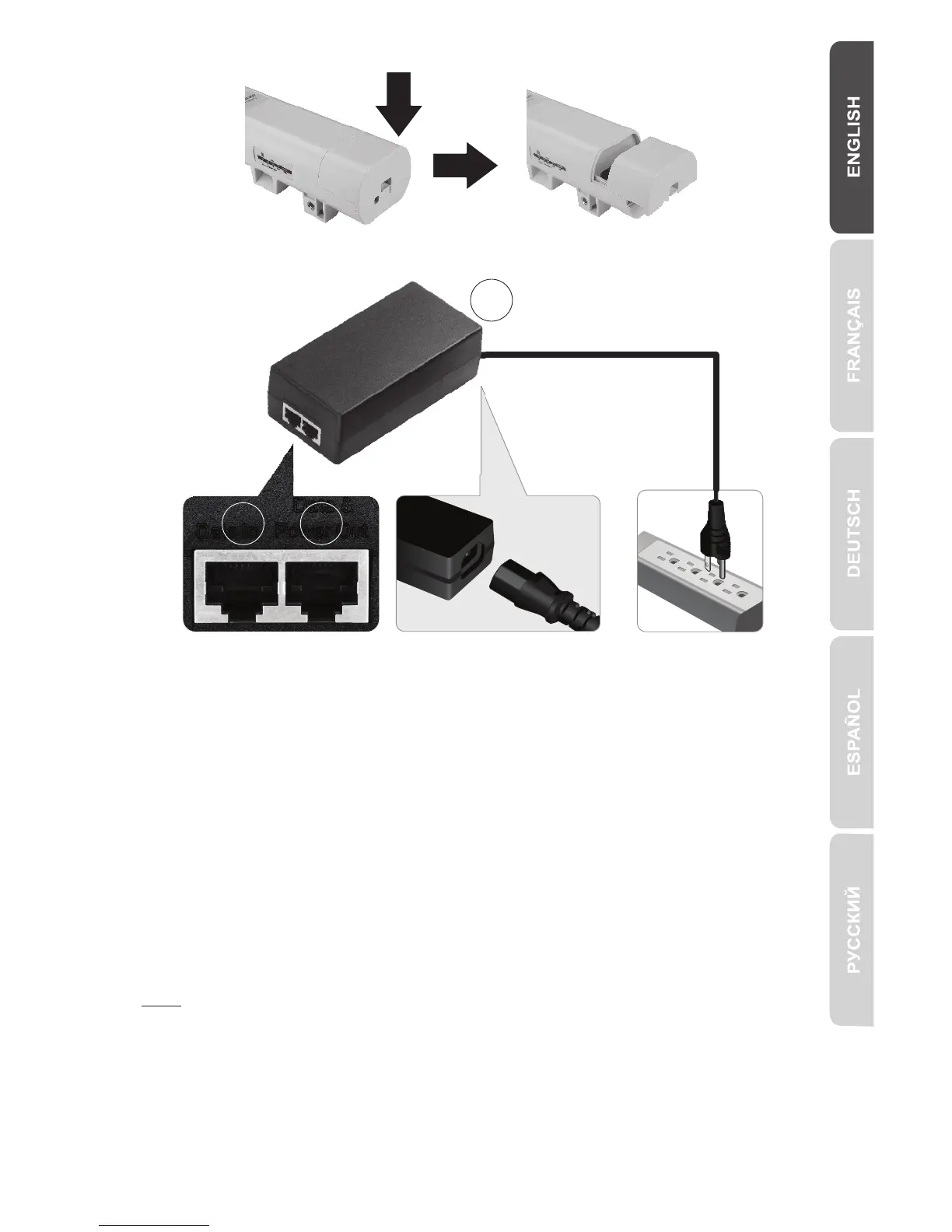
2. Pinch the tab and slide the cover down.
3. Connect a network cable into the PoE port on the TEW-734APO.
4. Connect the other end of the network cable to the Data & Power Out port on the
included Power over Ethernet (PoE) Injector.
5. Using the second network cable, connect one end to the Data In port of the PoE
injector.
6. Connect the other end of the second network cable to your computer's network
port.
7. Connect the power cord to the PoE Injector, and plug the adapter into an electrical
outlet.
8. Assign a static IP address to your computer's network adapter, using the subnet
setting 192.168.10.XX (192.168.10.00 – 192.168.10.255). For this example we
will assign our computer with 192.168.10.30.
Note: The default IP address of the TEW-734APO is 192.168.10.100. Do not set
your computer's network adapter to this address.
9. Set the subnet mask to 255.255.255.0.
10. Open your web browser, and enter the IP address 192.168.10.100 into the
address bar to log into the TEW-734APO.
7
5
4


 To Next Page
 Loading...