7
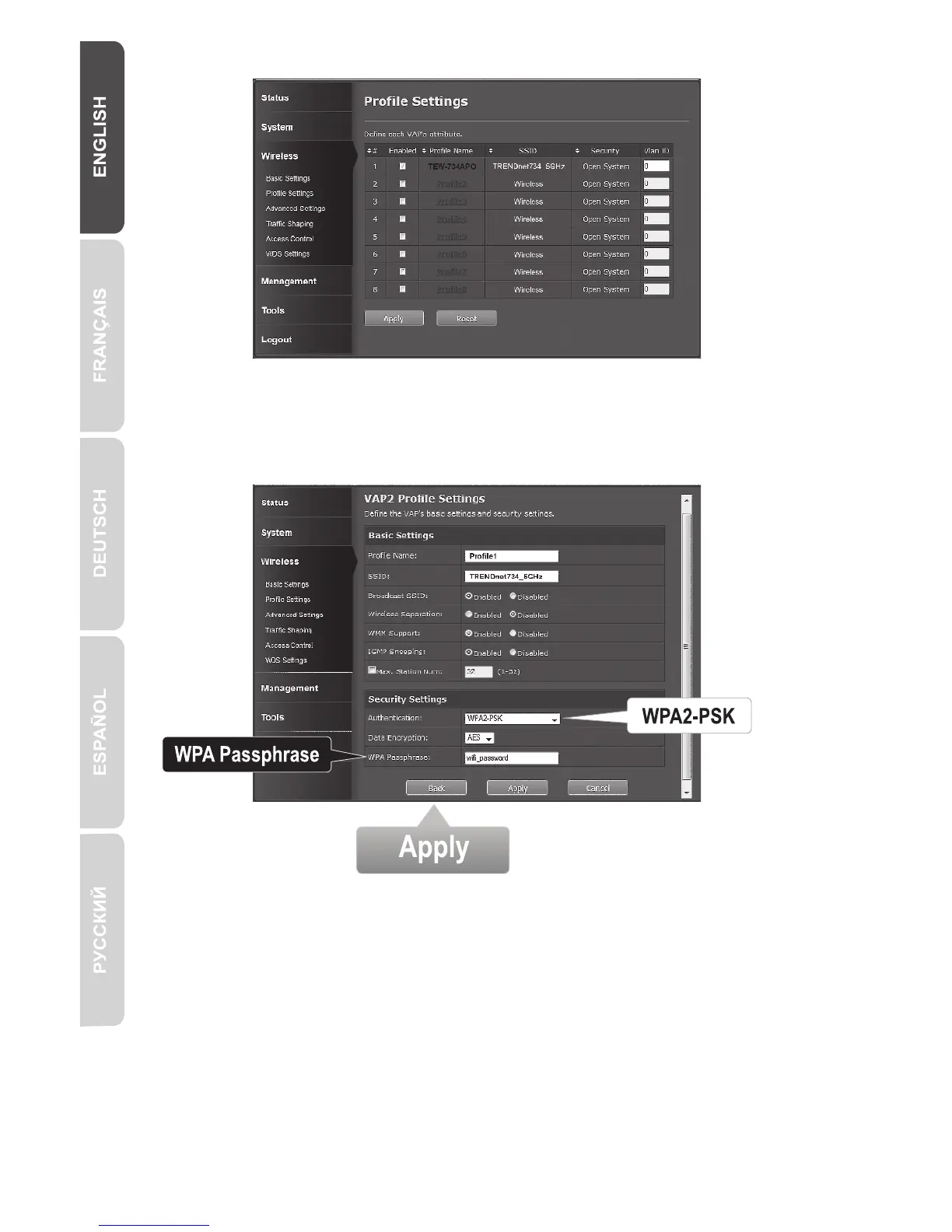
2. Select the profile name of your network.
4. Under the WPA Passphrase enter your WiFi password.
5. Click Apply to save your settings.
3. In the Security Setting section, select the authentication type you want to use.
We recommend WPA2-PSK. No matter which protocol you choose, both
TEW-734APO devices must have the same encryption protocol to establish a
connection.



 To Next Page