EasyManua.ls Logo

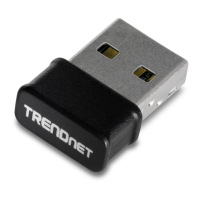
TRENDnet TEW-805UB - User Manual

TRENDnet TEW-805UB
22 pages
Print Icon
To Next Page IconTo Next Page
Loading...
TRENDnet User’s Guide
Cover Page
Question and Answer IconNeed help?

Do you have a question about the TRENDnet TEW-805UB and is the answer not in the manual?

Summary

Product Overview

Features

Details the key capabilities and specifications of the AC1200 adapter.

Product Hardware Features

Installation

Software Installation

Guides on installing the driver and utility software from the CD-ROM.

Hardware Installation

Instructions for physically connecting the USB adapter to the computer.

Wireless Utility

Wireless Utility Setting

Introduction to the configuration utility and its main sections.

Add Profile

Details on adding a new wireless network profile with specific settings.

Wireless Network Security

Explains various wireless security types and their configurations.

Available Networks

Status

Statistics

WiFi Protected Setup (WPS)

Pin Input Configuration (PIN)

Guides on using the PIN method for WPS setup.

Push Button Configuration (PBC)

Instructions for WPS setup using the physical push button.

Technical Specifications

Standards

Specifies the wireless networking standards supported by the adapter.

Data Rate

Details the various data transfer speeds supported by different standards.

Encryption

Lists the supported wireless encryption methods.

Troubleshooting

Wireless Adapter Not Connecting

Addresses problems with connecting to an access point or router.
How to connect to a wireless network using the built-in Windows utility?

Limited Warranty

Summary

Product Overview

Features

Details the key capabilities and specifications of the AC1200 adapter.

Product Hardware Features

Installation

Software Installation

Guides on installing the driver and utility software from the CD-ROM.

Hardware Installation

Instructions for physically connecting the USB adapter to the computer.

Wireless Utility

Wireless Utility Setting

Introduction to the configuration utility and its main sections.

Add Profile

Details on adding a new wireless network profile with specific settings.

Wireless Network Security

Explains various wireless security types and their configurations.

Available Networks

Status

Statistics

WiFi Protected Setup (WPS)

Pin Input Configuration (PIN)

Guides on using the PIN method for WPS setup.

Push Button Configuration (PBC)

Instructions for WPS setup using the physical push button.

Technical Specifications

Standards

Specifies the wireless networking standards supported by the adapter.

Data Rate

Details the various data transfer speeds supported by different standards.

Encryption

Lists the supported wireless encryption methods.

Troubleshooting

Wireless Adapter Not Connecting

Addresses problems with connecting to an access point or router.
How to connect to a wireless network using the built-in Windows utility?

Limited Warranty

TRENDnet TEW-805UB Specifications

General IconGeneral
BrandTRENDnet
ModelTEW-805UB
CategoryAdapter
LanguageEnglish

Related product manuals