44
View Image – ActiveX Mode
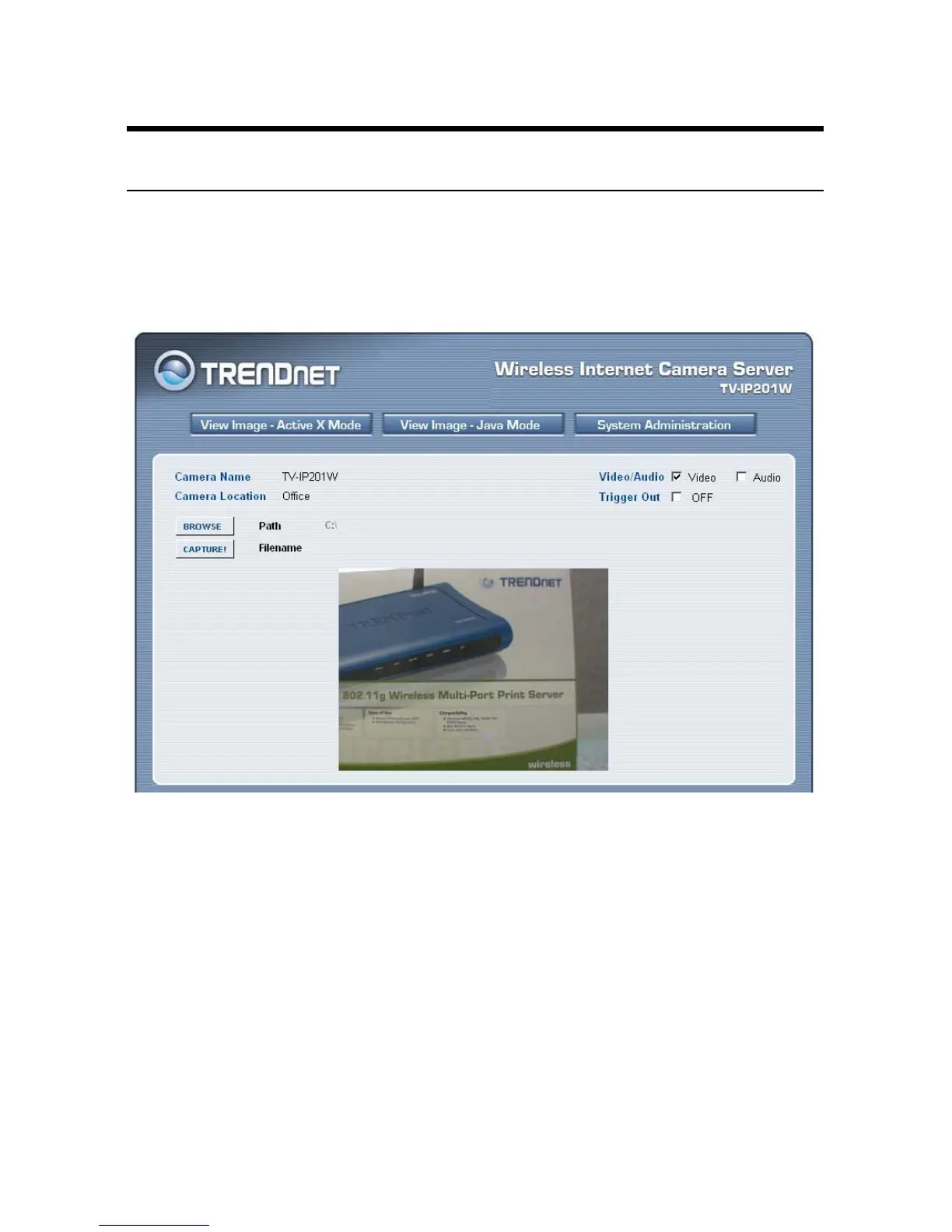
To view video images from the browser, click View Image -
ActiveX Mode from the Welcome screen to access the video
images from Internet Explorer as illustrated below:
Camera Name/Location: The Camera name and location will be
displayed when the Camera Name/Location fields are entered in
the Web Configuration Utility.
Video/Audio: You can enable/disable the video and audio
function by clicking the desired selection.
Trigger Out: you can turn on/off the output device manually by
clicking the OFF button.


 To Next Page