72
- Date Mode: First, select the camera desired from the pull-
down menu. Then, setup the time in the Start/Stop fields.
Click Add to add the recording schedule to the list. Click Save
to save the settings.
-
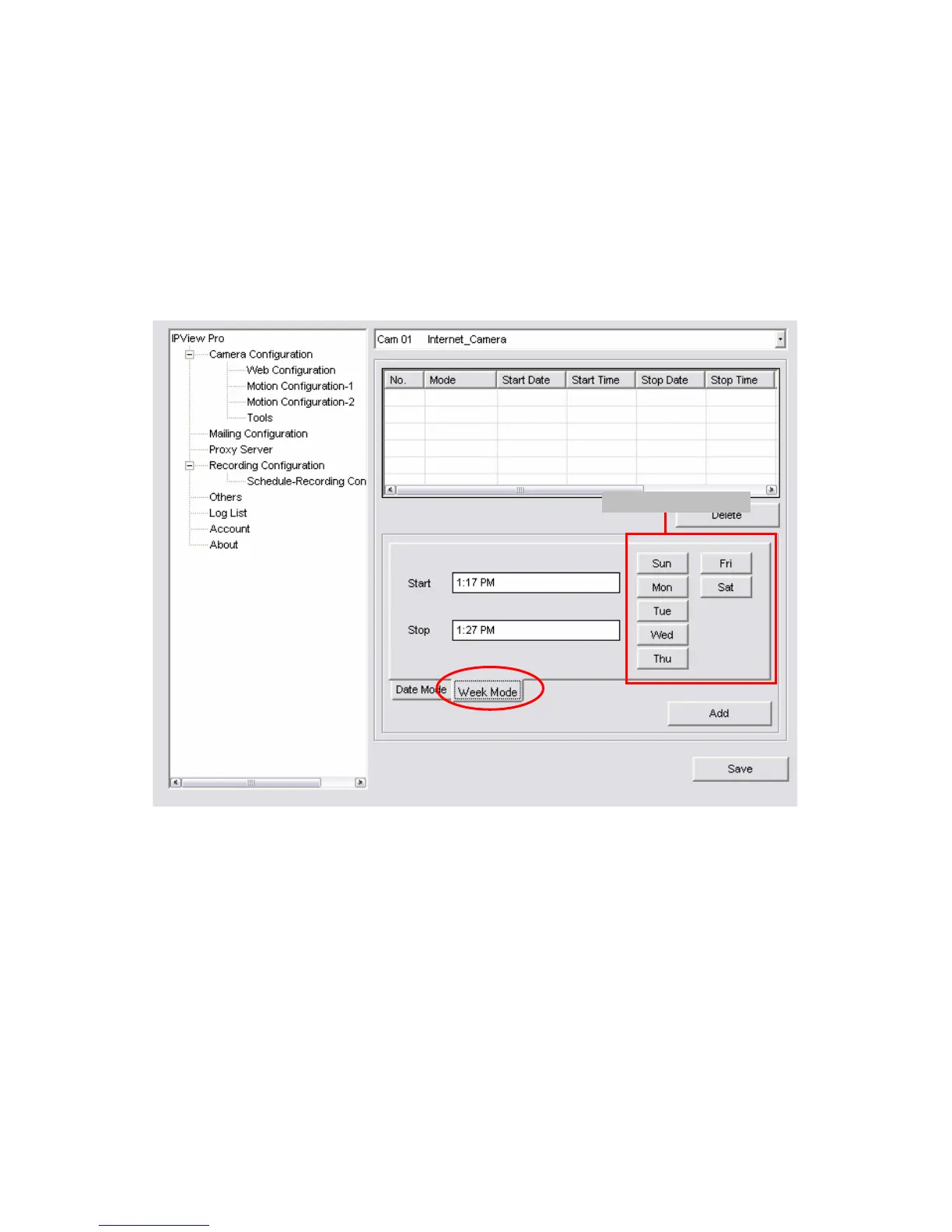
Week Mode: First, select the camera desired from the pull-
down menu. Then, setup the time in the Start/Stop fields, and
select the weekday from the buttons. Click Add to add the
recording schedule to the list. Click Save to save the settings.
Weekda


 To Next Page