
 Need help?
Do you have a question about the TRENDnet TV-IP745SIC and is the answer not in the manual?
Details on app-based setup, video quality, remote viewing, night vision, two-way audio, and music.
Explains various methods for setting up and installing the camera for optimal performance.
Step-by-step instructions for setting up the camera using the TRENDnet CloudView app on Android.
Step-by-step instructions for setting up the camera using the TRENDnet CloudView app on iOS.
Guide to connecting the camera to a wireless network using the WPS (Wi-Fi Protected Setup) method.
How to access and manage the camera through a web browser for initial setup and configuration.
Steps to configure the camera's connection to your home router for network access.
How to manage administrator and user accounts for camera access and security.
Configuration of IP settings, ports, UPnP, and Bonjour for network connectivity.
Setup of video profiles, encoding types, resolution, frame rates, and bit rates for streaming.
Configuring video recording triggers, types, targets (SD card, network share), and recycle options.
Configuring motion and sound detection sensitivity levels and areas for alerts.
Setting up temperature thresholds for triggering recording or alerts.
Steps for logging into the TRENDnet cloud service for the first time on Windows PC and Mac.
 General
| Type | IP security camera |
|---|---|
| PTZ control | - |
| Certification | CE, FCC |
| Placement supported | Indoor |
| Connectivity technology | Wireless |
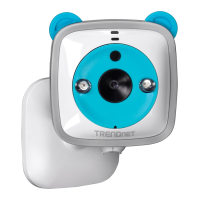
| Form factor | Box |
| Mounting type | Wall |
| Product color | Blue, White |
| LED indicators | Yes |
| Full HD | No |
| Maximum resolution | 1280 x 720 pixels |
| Supported video modes | 720p |
| Video formats supported | H.264, M-JPEG, MPEG4 |
| Minimum illumination | 0 lx |
| Sensor type | CMOS |
| Optical sensor size | 1/4 \ |
| Optical zoom | - x |
| Focus adjustment | 2.4 |
| Fixed focal length | 1.4 mm |
| Security algorithms | WPS |
| Password protection type | User |
| Compatible memory cards | MicroSD (TransFlash), MicroSDHC |
| Maximum memory card size | 32 GB |
| LED type | IR |
| Night vision distance | 7.5 m |
| Wi-Fi standards | 802.11b, 802.11g, Wi-Fi 4 (802.11n) |
| Supported network protocols | IPv4, UDP, TCP, ICMP, ONVIF Profile S, DHCP, NTP, DNS, DDNS, SMTP, FTP, SAMBA, 3GPP, HTTP, UPnP, Bonjour, LLTD, RTSP, RTP, RTCP |
| Audio system | 2-way |
| AC input voltage | 100-240 V |
| DC output current | 1.2 A |
| DC output voltage | +5V |
| AC input frequency | 50 - 60 Hz |
| Power consumption (max) | 5 W |
| Operating temperature (T-T) | 0 - 40 °C |
| Operating relative humidity (H-H) | 0 - 85 % |
| Mobile operating systems supported | Android, iOS |
 Weight and Dimensions
| Depth | 105 mm |
|---|---|
| Width | 73 mm |
| Weight | 132 g |
| Cable length | 3.3 m |

 To Next Page
