EasyManua.ls Logo

Trenton ESP+ - User Manual

Trenton ESP+
20 pages
Print Icon
To Next Page IconTo Next Page
Loading...
CONTENTS
Page
Basic Display / User Interface.......................................................................................................
Menus and Parameters.................................................................................................................
Quick Start LAN Setup (IP Address Sticker Available).....................................................................
Quick Start LAN Setup (IP Address Sticker NOT Available)..............................................................
Connect by WIFI Service Tool........................................................................................................
Bonding Multiple Units..................................................................................................................
Sample Wiring Diagrams...............................................................................................................
Glossary of Abbreviations.............................................................................................................
Product Support Resources...........................................................................................................
2 - 3
3 - 6
7
8
9
10 - 11
12 - 14
15 - 17
BACK
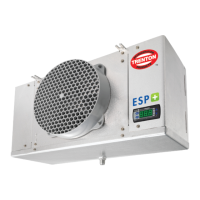
Intuitive Evaporator
Control Technology
Bulletin T30-ESP-OM-2-1
Part #
1107522
OPERATING INSTRUCTIONS
PRODUCT SUPPORT
web: www.t-rp.com/esp
email: evaps@t-rp.com
call: 1-844-893-3222 x520
scan:
For Pre-Assembled Evaporators:
includes factory installed Adaptive
Defrost Control Board, EEV, Liquid Line
Solenoid Valve and On-Board Display
Instructional Videos, FAQ and more available at www.t-rp.com/esp
Firmware Version 2.02 +
11/09/20
Question and Answer IconNeed help?

Do you have a question about the Trenton ESP+ and is the answer not in the manual?

Summary

Basic Display and User Interface

Navigation Using the Basic Display

Learn how to navigate the ESP+ controller's basic display.

User Interface Overview

Understand the controller's menu structure and setpoint access.

Changing Setpoints

How to modify temperature setpoints and other parameters.

Manual Controls

Operate specific functions like manual valve control and defrost.

System Status and Lock

Features for system off mode and display lock functionality.

Menus and Parameters

Diagnostics Mode

Activate diagnostic mode to test controller relays and functions.

Display Firmware Version

View the controller's current firmware version.

Basic Setpoints Menu

Access and modify fundamental controller settings.

Advanced Setpoints Menu

Access and modify advanced controller parameters.

Quick Start LAN Setup

Connecting ESP+ to a LAN (IP Address Sticker Available)

Connect controller to a LAN using an IP address sticker for setup.

Finding the IP Address

Locate the controller's IP address from the service parts list sticker.

Connect by WIFI Service Tool

Connecting to the KE2 WIFI Service Tool

Connect the ESP+ controller to the KE2 WIFI Service Tool.

Navigating the Service Tool

Access controller data and settings via the WiFi service tool interface.

Bonding Multiple Units

Setting Up Bonded Controllers

Configure multiple ESP+ controllers for synchronized operation.

Saving and Grouping Controllers

Save and group controllers for bonding.

Sample Wiring Diagrams

230 V Air Defrost Evap Controller Wiring

Wiring diagram for 230V air defrost evaporator controller.

Glossary of Abbreviations

Alphabetical List of Abbreviations

Definitions of technical terms and abbreviations used in the manual.

Product Support Resources

Online Product Information

Access product info, manuals, and FAQs online at t-rp.com/esp.

Video Tutorials

Watch videos on ESP+ setup, configuration, and features.

Trenton ESP+ Specifications

General IconGeneral
BrandTrenton
ModelESP+
CategoryRemote Control
LanguageEnglish