7
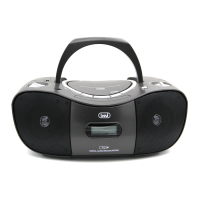
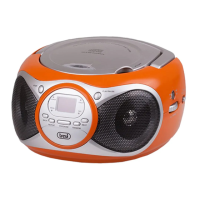
CD 512
ENGLISH
BASIC FUNCTION
Switching on the unit
PressthePLAY/PAUSE/STANDBYbutton.
SettheFUNCTIONswitchtoCD/AUXorRADIOpositiontoturnontheunit.
NOTE: In CD/AUX position, when the unit is not providing the main function for 15 minutes, the unit will automatically
switch into standby mode.
ESD hints
Theproductmayberesetornotresettooperationofcontrolduetoelectrostaticdischarge,justswitchoffandreconnectagain.
Volume adjusting
SwitchVOLUMEknobdownoruptoincreaseordecreasevolume.
USING THE RADIO
TUNING IN RADIO STATIONS
1. MovetheFUNCTIONswitchtoRADIOposition,thePOWERindicatorwillilluminate.
2. SlidetheBANDswitchtoselectthedesiredwaveband:AM,FMST..
3. TunetorequiredstationbyrotatingtheTUNINGKNOB.
4. RotatetheVOLUMECONTROLtocomfortablevolumelevel.
5. ExtendtheTELESCOPICANTENNAtoitsfulllengthifyouarelisteningtoFMbroadcasting.
GentlyrocktheunitbackandforthtogetthebestreceptionwhenyouarelisteningtoAMprogram,orplacetheunitinanopenplace.
Note:TheFMSTEREOindicatorwillbeonifyouarereceivingFMstereoprogram.
6. TurnofftheradiobyswitchingtheFUNCTIONswitchto"OFF"position.
USING THE CD
SettheFUNCTIONSWITCHto“CD/AUX”position.PresstheCDdoorLIFTTOOPENtoopentheCDdoortoputinacompact
disc.Closeitandstartreading.TheLEDdisplayalwaysshowsthetracksofadiscwhicharestilltobeplayed.
Playing The Entire Disc
1. PlaybackwillstartbypressingCDPLAY/PAUSE/STANDBYbutton,playbackstartswiththersttrack.Thedisplaywillshow
thecurrenttracknumber.
2. Tointerruptplayback,pressCDPLAY/PAUSE/STANDBYbutton.
3. Toresumeplayback,pressCDPLAY/PAUSE/STANDBYbuttononceagain.
4. Tostopplayback,pressCDSTOPbutton.
Note:
1.Toensuregoodsystemperformance;waituntilthedisctraycompletelyreadsthediscbeforeproceeding.
2.Ifnodiscisloadedintothecompartment,orthediscisplacedupsidedown,thedisplaywillshow“N0”.
SELECTING A DESIRED TRACK/PASSAGE
To select a desired track
1. PressSKIP/SEARCHNEXT/BACKbuttonrepeatedlyinstopmodeorduringplayuntilthedesiredtrackappearsonthe
display.
2. PressPLAY/PAUSE/STANDBYbuttontostartplay.
To search for a particular passage during playback (track scanning at high speed)
1. PressandholdSKIP/SEARCHBACK/NEXTbuttontoscanthecurrentplayingtrackathighspeeduntildesiredpoint(passage),
thenreleasethebutton.
2. Playbackwillstartagainfromthispoint.
REPEAT PLAY
Whenplaying,pressREPEATbuttononce.REPEATINDICATORwilllightupandashforplayingthesametrackonly.Ifrepeatall
tracks,presstheREPEATbuttonagain,REPEATINDICATORwilllightupandsteady.Tocancelrepeatplay,presstheREPEAT
buttonuntiltherepeatindicatordisappears.
PROGRAM PLAY
1. Press“PROG”buttontomakeprogrammemoryinstopmode.
2. “01”willbeshownashingonthedisplay,Programindicatorwilllightupandash.
3. PressCDSKIP/SEARCHNEXT/BACKbuttontoselectatracknumber.Thetracknumberwillshow“1”.
4. Pressthe“PROG”buttontostorethetracknumber.
5. “02”ashesagain.Repeatstep(3)to(4)toprogramotherdesiredtracks.
6. Press“PROG”buttononcemoreafter20trackinprogrammedandalltheprogrammedtracknumberswillbeshownoneby
one
7. PressCDPLAY/PAUSE/STANDBYbutton,playbackwillstartfromtherstprogrammedtrack.
8. YoucanpressCDSKIPSEARCHNEXT/BACKbuttontoselectthetracknumberinmemory.
9. Instopmode,pressSTOPbuttontocanceltheprogramplayandtheprogramindicatorwilldisappear.


 To Next Page