9
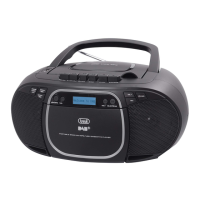
CMP 581 DAB
ENGLISH
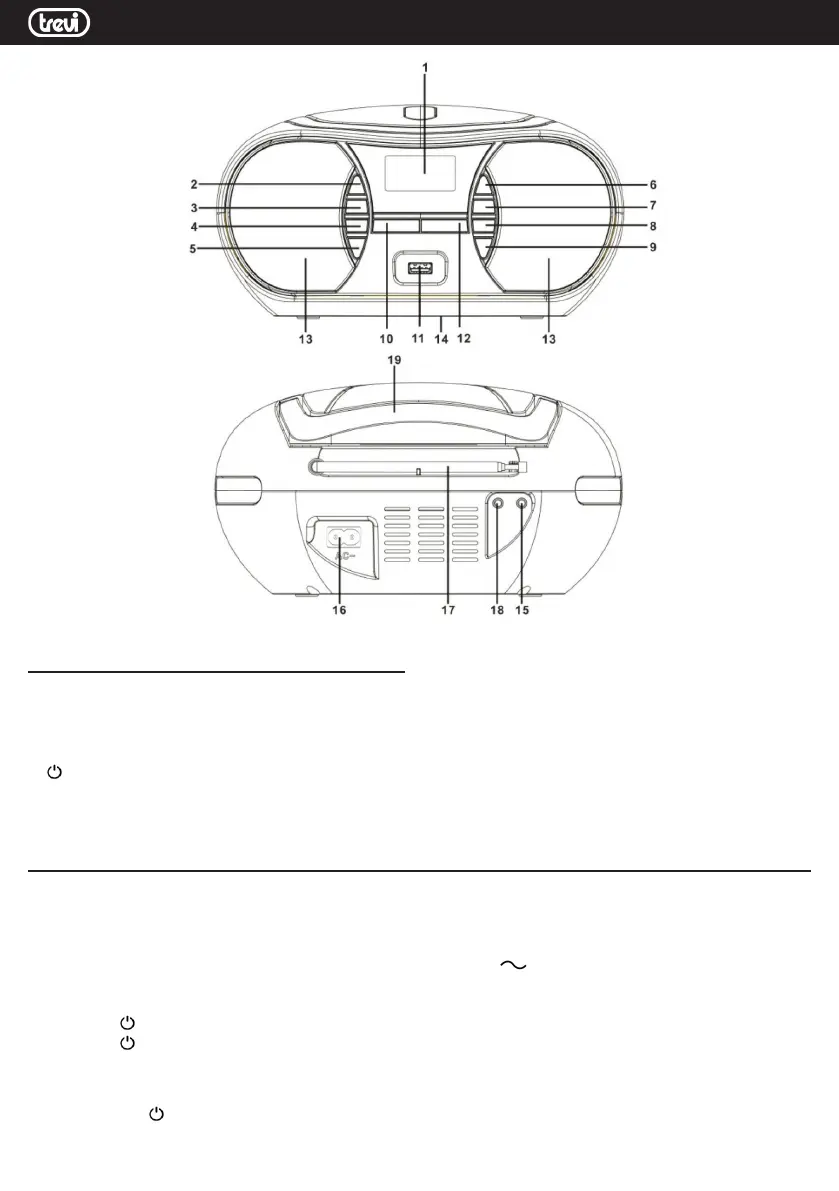
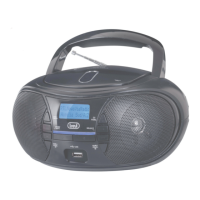
DESCRIPTION OF COMMANDS
1. LCD display
2. MEM / P-MODE button
3. STOP / MENU / INFO button
4. 9 / SKIP- button
5. 10 / M. / FOLD - key
6.
STANDBY / FUNC. Button
7. PLAY / PAUSE / SELECT button
8. : / SKIP + button
9. 10 / M. / FOLD + button
10. VOLUME - button
11. USB input
12. VOLUME + button
13. Speakers
14. Battery compartment
15. AUX IN input
16. AC outlet, mains power supply
17. FM Antenna
18. Headphone output socket
19. Handle
POWER SOURCE
BATTERY
Open the battery compartment (14) and insert 6 "C" size batteries (UM-2) taking care to respect the indicated polarities carefully. Replace
the exhausted batteries immediately and remove them if you do not plan to use the appliance for a long time.
AC OPERATION
Connect the power cord to the AC socket (16). Insert the plug into a 100-240V 50/60 mains socket.
Do not connect the appliance to electrical outlets other than those indicated.
ON / OFF
1. Press the STANDBY / FUNC button (6) to turn the unit on.
2. Press the
STANDBY / FUNC button (6) to select one of the DAB / DAB + radio sources, FM radio, CD player, USB input and
AUX input.
NOTE
In CD, USB or AUX source, if no operation is performed within 15 minutes, the unit will automatically enter STANDBY mode.
3. Hold down the
STANDBY / FUNC button (6) for a long time to turn off the unit.


 To Next Page