17
DPL 2220 / DPL 2218 ENGLISH
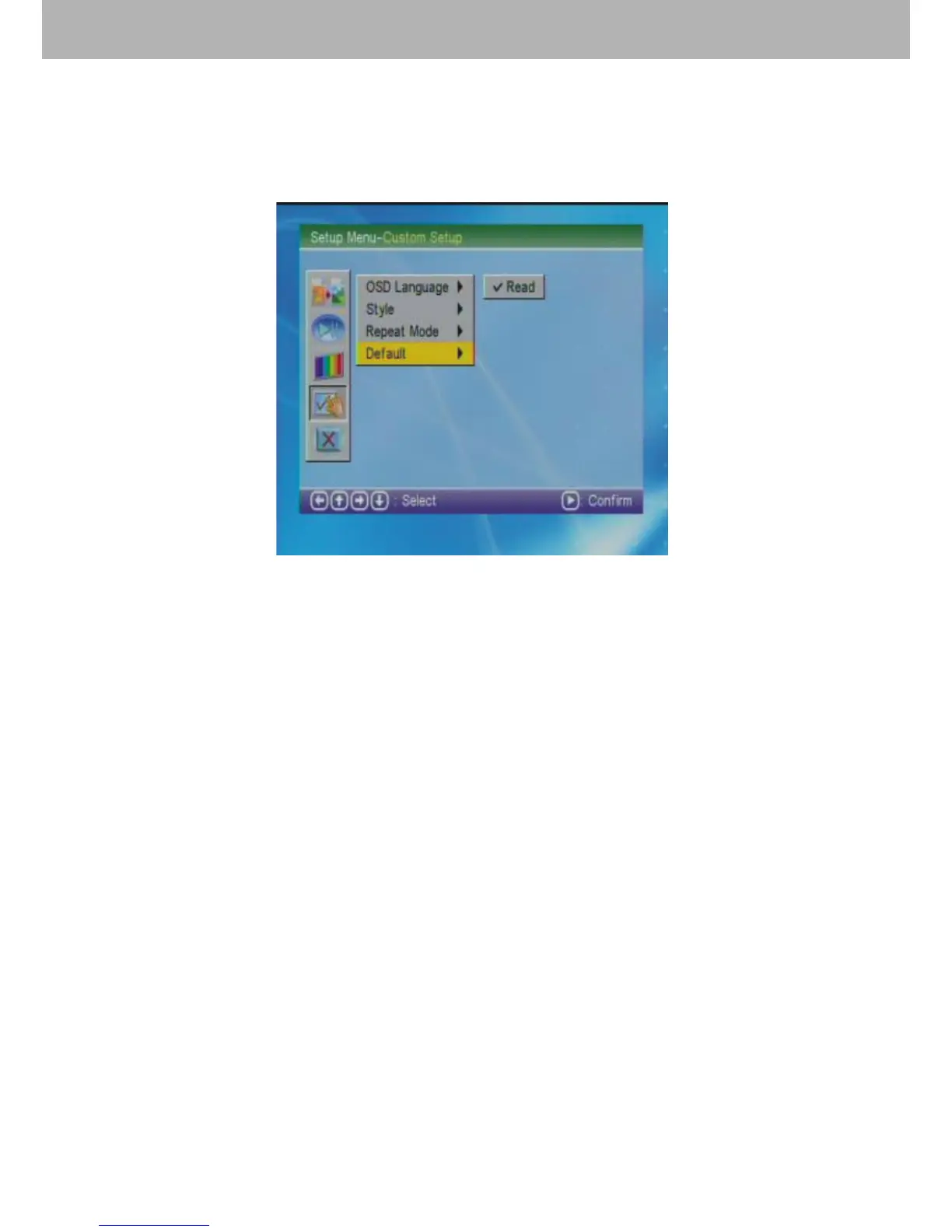
3.4.5 Default Setting
Choose “Default” by the cursor. This option let the user return
to the initial defaulted state. All of the settings will return to
the initial system setup when this option is chosen.
3.5 Exit Setting
Choose the fth option by the cursor to exit and press ENTER
to return to the main menu.
4.【Photo】Function
4.1 Choose 【Photo】in the main menu. Press ENTER and
the machine will examine automatically whether the machine
connects any storage device (USB, memory cards). If not, it
will return to the main menu.
4.2 After connecting with a storage device and reading
correctly, it will enter into the user’s chosen mode. Picture
1 shows that users choose “File Manager” mode to handle
【Photo】 playing; while Picture 2 shows that users choose
“Thumbnail” mode to handle 【Photo】 playing.


 To Next Page