25
IP 330 TV
EXCEPTION HANDLING
•Systemrestore
If the Android Dongle IP 330 TV can not start successfully,
please proceed as follows:
*Please read carefully before operation!
1. Unplug your storage devices, such as: SD card, U disk, mobile HDD and etc.
2. Unplug the power supply
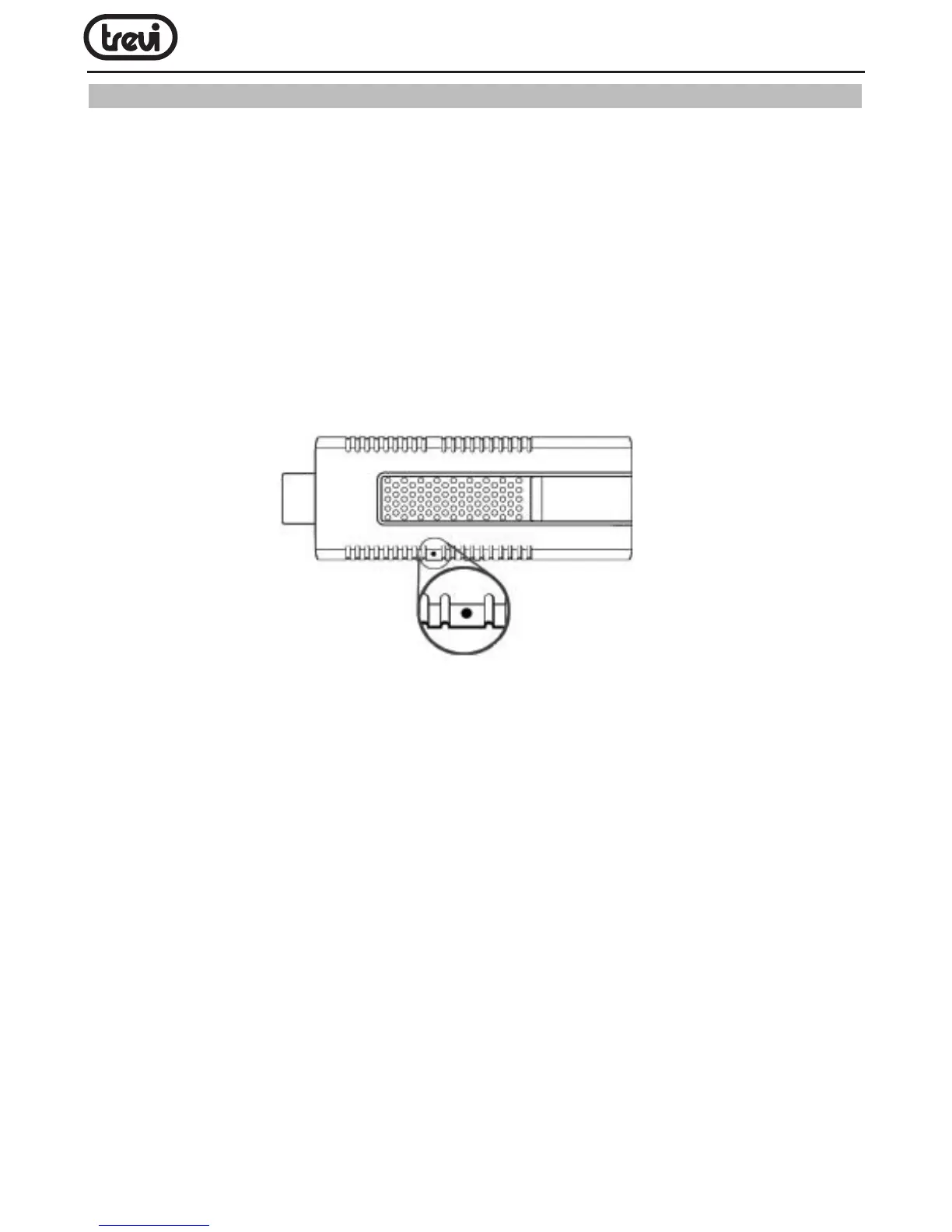
3. Press the RECOVERY button(as the gure below), then plug in the power, release the
RECOVERY button until you see the screen as follow
4. Use Up/Down buttons to choose “wipe data/factory reset” and enter it
5.Use Up/Down buttons to choose “Yes -- delete all user data” and enter it(*Warning!: It
will delete all of user’s information after conrmation)
6.Use Up/Down buttons to choose “reboot system now” and enter it, the product will
reboot after conrmation
7. The product will enter the system successfully


 To Next Page