IP 365
22
This marking indicates that this product should not be disposed with other household
wastes throughout the EU. To prevent possible harm to the environment or human health
from uncontrolled waste disposal, recycle it responsibly to promote the sustainable reuse of
material resources. To return your used device, please use the return and collection systems
or contact the retailer where the product was purchased. They can take this product for
environmental safe recycling.
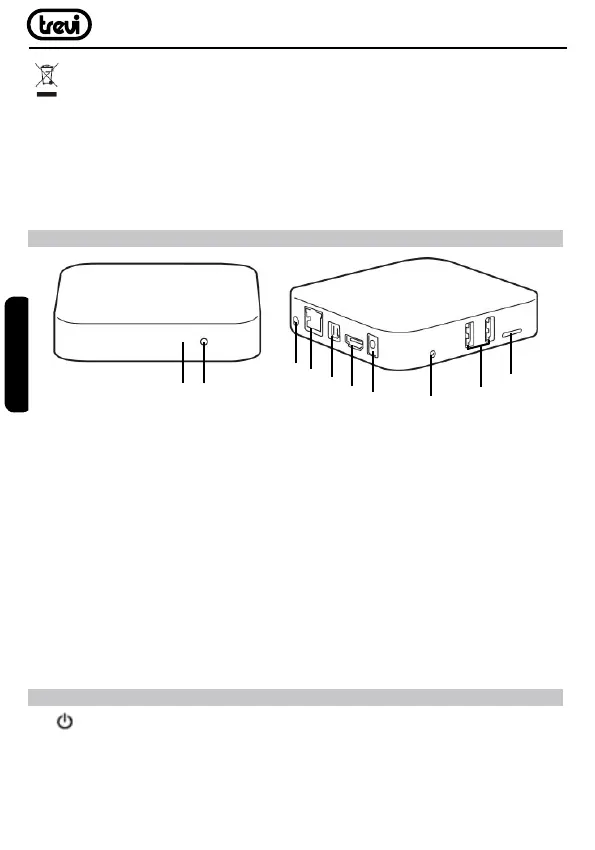
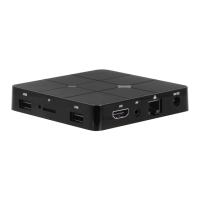
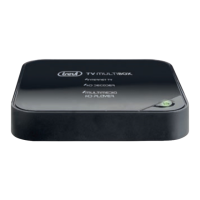
FRONT AND REAR PANEL
1. Remote Control Sensor: Used to receive the signal from the remote controller.
2. Stand-by button: Switch between standby and operation mode.
3. AV Output: Outputs composite video signal(CVBS) and analog audio L/R signal, only
available when set Video Output mode to 480i or 576i.
4. Ethernet LAN RJ45: 10/100M Ethernet interface for local network connection.
5. Optical: Connects to a optical socket on your surround sound system.
6. HDMI Output: Connects to HDTV for HD video intput.
7. DC IN 5V: Connects to external +5V power supply adapter.
8. Reset function.
9. USB Jack: Connects to external USB devices such as USB ash drive, mobile HDD
digital audio/video players,mobile phone,mouse,keyboard etc.
10. Card Reader Slot: Micro SD card slot.
REMOTE CONTROL
11. : Power Switch/ power key.
12. MUTE: Turn off volume rapidly.
13. AV/TV: TV Video input.
14. PAGE DOWN: Fast Switch page.
15. PAGE UP: Fast Switch page.
1 2
3
4
5
6
7
8
9
10
ENGLISH



 To Next Page