25
IP 365
Shutdown:
• Turn off your device, press the power button/Stand-by (27) on remote, wait a few seconds
and the Blue LED will become red.
Regulation framework:
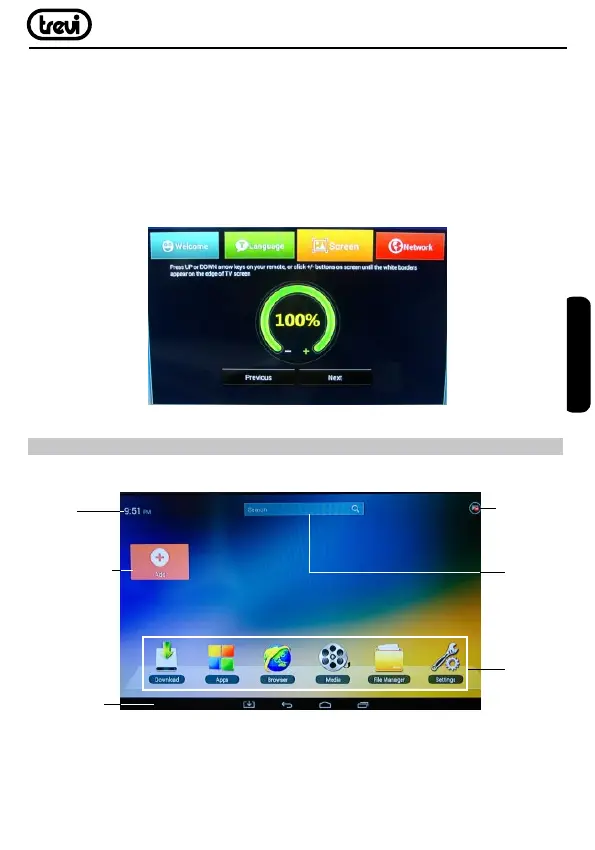
At rst power you will be asked to set some parameters such as language, the connection
to the network and regulation of the framework.
Adjust the image according to your TV; to adjust the picture, select “-” to tighten, select
“+” to enlarge.
USER OPERATIONS
HOME menu
Note: The user can select the applications with the navigation keys (17) and open them
with the OK button, or by pressing the mouse (24), an arrow will appear which you can
move quickly using the navigation keys (17) and conrming with OK (23).
Time
Icon network
connection
To add APK’s
icons
Status Bar
Functions
Search
bar
ENGLISH



 To Next Page