3
ME 3103
English
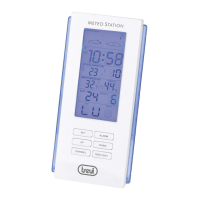
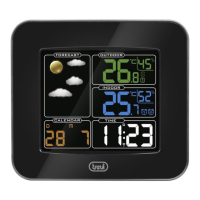
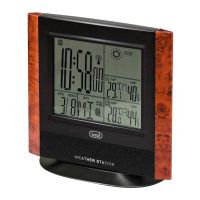
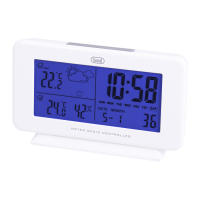
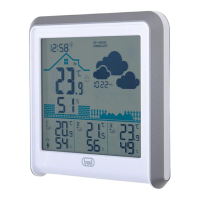
FUNCTIONS DESCRIPTION
1. Alarm symbol
2. Clock
3. Weather icons
4. Indoor humidity
5. Temperature
6. Graph of minimum and maximum temperature detected
7. Key MODE, setting the time, date and alarm
8. KeyUP/AL,upkey/alarmactivation
9. KeyDOWN/C/F,downkey/changetemperature°C/°F
10.KeyMAX/MIN,viewmaximumandminimumvaluesrecorded
for temperature and humidity
11.KeySNZ/LIGHT,temporarydeactivationofthealarm/turn
on backlight
12. Key RESET, reset clock, date and alarm settings, and tempe-
ratures detected
13. Battery compartment 2xAAA (not included)
POWER SUPPLY
Open the battery compartment (13) on the rear of the appliance and
inserttwo“AAA”sizebatteriesrespectingthepolarities.
SETTING THE CLOCK
1. Press the MODE key (7) until you see the clock.
2. Press and hold the MODE key (7) to start the clock setting, the
hourwillashonthedisplay.
3. Set the hour using the UP (8) or DOWN (9) keys.
4. PresstheMODEkey(7),theminuteswillashonthedisplay.
5. Set the minutes using the UP (8) or DOWN (9) keys.
6. PresstheMODEkey(7)toconrmandnishtheclocksetting.
7. Press and hold the MODE key (8) to set the time display in
12/24hours.
SET THE DATE
1. Press the MODE key (7) until you see the date.
2. Press and hold the MODE key (7) to start the date setting, the
yearwillashonthedisplay.
3. Set the year using the UP (8) or DOWN (9) keys.
4. PresstheMODEkey(7),themonthwillashonthedisplay.
5. Set the month using the UP (8) or DOWN (9) keys.
6. PresstheMODEkey(7),thedaywillashonthedisplay.
7. Set the day using the UP (8) or DOWN (9) keys.
8. PresstheMODEkey(7)toconrmandnishthedatesetting.
SETTING AND ACTIVATING ALARM
1. Press the MODE key (7) to access the alarm function, reco-
gnisable by the Bell symbol appears on the right of the display
(1).
2. Press and hold the MODE key (7) to start the alarm setting,
thehourwillashonthedisplay.
3. Set the hour using the UP (8) or DOWN (9) keys.
4. PresstheMODEkey(7),theminuteswillashonthedisplay.
5. Set the minutes using the UP (8) or DOWN (9) keys.
6. PresstheMODEkey(7)toconrmandnishthealarmsetting.
7. PresstheUP/ALkey(8)toactivatethealarm.Thealarm
symbol
(1)willappearontheleftofthedisplay.
8. Atthesettedhourthealarmwillbeactivated.Totemporarily
turnoffthealarmpresstheSNZ/LIGHTkey(11).Thealarm
willreactivateautomaticallyafter8minutes.
9. Toturnoffthealarm,presstheUP/ALkey(8)untilthedemise
of the alarm symbol
(1).
WEATHER FORECASTS
The digital barometer detects changes in barometric pressure and
showstheweatherforecastsymbol(3).Thisweatherforecastrefers
tothenext12/24hours.
Forexample:Ifthebarometerdetectsahighpressure,thedisplay
willshowthesymboloftheSun,butexternallyitmightrain.
Seetableonrstpage.
Note:
The weather forecast symbols may not reect the current conditions of the
time. They refer only to future conditions.
The weather forecast may not be 100% secure due to various factors.
The manufacturer is not liable for any damages or situations caused by a
wrong weather forecast.
TEMPERATURE AND HUMIDITY
Temperatureandhumidityvaluesupdateautomaticallyevery60
seconds.
1. PresstheDOWN/C/Fkey(9)toselecttheunitofmeasurement
oftemperaturein°Cor°F.
2. PressoncetheMAX/MINkey(10)todisplaythemaximum
valuedetectedoftemperatureandhumidity.
3. PresstwicetheMAX/MINkey(10) todisplaytheminimum
valuedetectedoftemperatureandhumidity.
4. PressthreetimestheMAX/MINkey(10)todisplaythecurrent
valuedetectedoftemperatureandhumidity.
TECHNICAL DATA
Weather station: ........... from 0°C to +50°C
Indoor humidity: ............ from20%to99%RH (relativehumidity)
............................... +/-5%
Unit: .............................. temperature0,1°C/humidity1%
Watch: .......................... Quartz
PowerSupply: .............. 2xAAA


 To Next Page
 Loading...