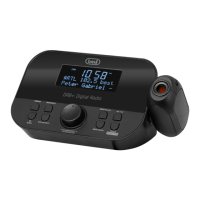
RC 80D4 DAB
English
number;
- Press SNOOZE/ENTER/SCAN (7) button to conrm.
FM broadcast information
Press MENU button (2) to view:
Top line:
Station name, reception type
Bottom line:
a. Information (provided by the radio station)
b. Frequency
c. Stereo/mono
d. Time
e. Date
FM
Menu
1. Press and hold MENU button (2);
2. Press SELECT < (4) or SELECT > (5) button to choose;
3. Press SNOOZE/ENTER/SCAN (7) button to conrm.
A) Scan setting
1. All Stations
2. Strong Stations
B) Audio setting
1. Stereo Allowed
2. Forced Mono
C) System
1. Sleep – Choose between OFF, 15, 30, 45, 60, 90 minutes
2. Alarm - To set Alarm 1 and Alarm 2.
3. Time:
- Set Time/date
- Auto update - Automatic update of date and time from source
or Off. It is advisable to keep it set to “Update from DAB” to avoid
continuous time shifts.
- Set 12/ 24 hour - Set AM/PM or 24 hour.
- Set date format - DD MM YYYY, MM DD YYYY
4. Backlight
- Timeout – Choose between ON, 10, 20, 30 ,45, 60, 90, 120, 180 sec.
- On level – high, medium, low
- Dim level – high, medium, low
5. Language – English, Deutsch, Italiano, Francais, Nederlands, Espanol, Dansk.
6. Factory reset – No or Yes
7. SW version


 To Next Page