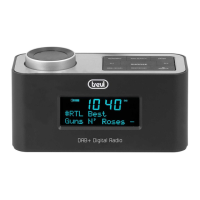
RR 511 DAB
15
device.
4. Use the PAUSE button (5) to temporarily stop the recording, press it again to resume
it.
5.
P
ress the STOP / EJECT button (6) to stop recording permanently.
HEADPHONES
1. Insert the headphones into the headphones jack.
2. Start the desired playback and adjust the volume.
SYSTEM SETTINGS
1. Long press the MENU button (10). Move within the menus and confirm the options
chosen using the button-knob (13).
2.
Select SYSTEM and confir
m with the knob button (13).
3.
V
arious menu items are available:
Alar
m: it is possible to set the alarm function (see the relevant chapter for the settings).
Time: it is possible to set the cur
rent date / time (see the relevant chapter for the
settings).
Sleep: it
is possible to activate the automatic shutdown of the unit (standby) after a
certain time. Set the desired automatic switch-off time and confirm by pressing the
knob button (13); it is possible to select between 90, 60, 45, 30, 15 minutes and
OFF (Sleep function not active).
Language: it is possible to set a different language for the menu (default: English).
F
actory reset: it is possible to restore the settings to factory values.
Sof
tware upgrade: menu is reserved for technical assistance centers, do not use.
SW version: shows the cur
rent software version.
TIME AND DATE ADJUSTMENT
1. With the appliance on standby, press the MENU button (10). Move within the menus
using the button-knob (13).
2. The indication SYSTEM appears on the display, confirm and select the TIME item,
confirm again.
3. Select the SET TIME / DATE item and set the current time and date.
4. Select the SET DATE FORMAT item to set the date display.
5. Select the AUTO UPDATE item for automatic time / date adjustment via FM radio,
DAB or from both sources.
To avoid possible hearing damage, limit the time listening at
high v
olumes
ENGLISH


 To Next Page