EasyManua.ls Logo

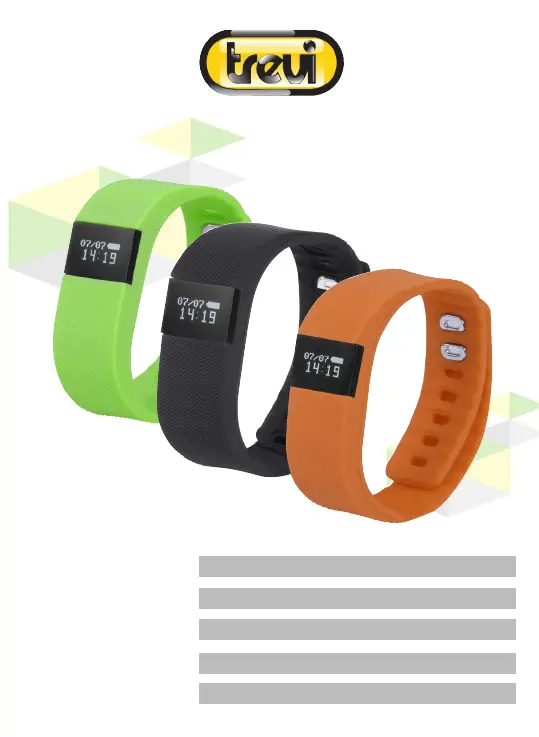
Trevi SF 160 - User Manual

Trevi SF 160
48 pages
Go to English
Print Icon
To Next Page IconTo Next Page
Loading...
MANUALE UTENTE ITALIANO
USER MANUAL ENGLISH
GUIDE DE L’UTILISATEUR FRANCAIS
BEDIENUNGSANLEITUNG DEUTSCH
MANUAL DE USUARIO ESPAÑOL
SF 160

Questions and Answers

  • R
    reyesamyAug 8, 2025
    Why my Trevi Fitness Tracker does not display notifications?
    • R
      Richard RamosAug 9, 2025
      If your Trevi Fitness Tracker isn't displaying notifications, it's likely that notifications are disabled. To resolve this, enable notifications by turning off the notification feature in both the application and your smartphone's Bluetooth, which will disconnect the device. Then, reactivate your smartphone's Bluetooth, reconnect the device, and re-enable the notification feature.
  • A
    Adam AveryAug 13, 2025
    What to do if my Trevi Fitness Tracker does not connect with my smartphone?
    • A
      abigail97Aug 13, 2025
      If your Trevi Fitness Tracker isn't connecting to your smartphone, there are a few potential causes: * Ensure your smartphone's Bluetooth is enabled and pair the device. * Verify your smartphone's Bluetooth version is 4.0 or higher to meet the device's system requirements. * Power cycle the Trevi device, as it may not be in Bluetooth transmission mode.
  • J
    Jessica ArmstrongAug 18, 2025
    What to do if my Trevi Fitness Trackers does not detect or synchronize data?
    • C
      Colin BerryAug 18, 2025
      If your Trevi Fitness Tracker isn't detecting or synchronizing data, it may be due to: * The device not being connected to the application. Ensure the device is connected to the application and verify the Bluetooth connection. * A temporary disconnection. Try turning off your smartphone's Bluetooth, then turning it back on, and restarting the data synchronization.
  • K
    Kathy RussellAug 25, 2025
    Why does my Trevi Fitness Tracker vibrate every now and then?
    • C
      Cheryl DavisAug 25, 2025
      Your Trevi Fitness Tracker might be vibrating frequently because the status sedentary reminder function is enabled. To stop this, simply disable the status sedentary reminder function.
  • J
    Jodi AvilaAug 29, 2025
    How to fix Trevi SF 160 Fitness Trackers that does not turn on?
    • K
      katelyn54Aug 29, 2025
      If your Trevi Fitness Tracker isn't turning on, it's likely due to a low battery. Recharge the battery to resolve this issue.
  • J
    joekhanSep 2, 2025
    Why does Trevi SF 160 not display the graph of the Sleep function?
    • W
      William JacobsonSep 2, 2025
      If your Trevi Fitness Tracker isn't displaying the sleep function graph, it could be due to a temporary disconnection between the device and your smartphone. Make sure you wear the device while you sleep to ensure continuous data collection.

Trevi SF 160 Specifications

General IconGeneral
Display TypeOLED
Heart Rate MonitorYes
WaterproofYes
CompatibilityAndroid, iOS
ConnectivityBluetooth 4.0
Battery Life7 days
SensorsHeart rate, Accelerometer
Weight25 grams