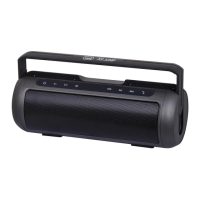
BTS07-C
BLUETOOTH SPEAKER
USER MANUAL
NOTICE
1.Please use the item in normal temperature.
2.Please do not put the item in rain or wet environment,
do not put it into any liquid.
3.Please do not throw the item to prevent damage from
dropping.
4.Please do not cover the holes on the unit, do not insert
anything into the holes on the unit.
5.Please do not put the item close to any heat-source.
6.If the connecting cable not match the item, please
contact with retailers.
7.Users should not disassemble, repair, modify the
item by their own.
8.Please charge the item with charger not exceed 5V.
9.Long time use with high-volume may damage your
hearing. Pls use the item with lower volume.
10.User's disassembling will make the item out of
warranty.
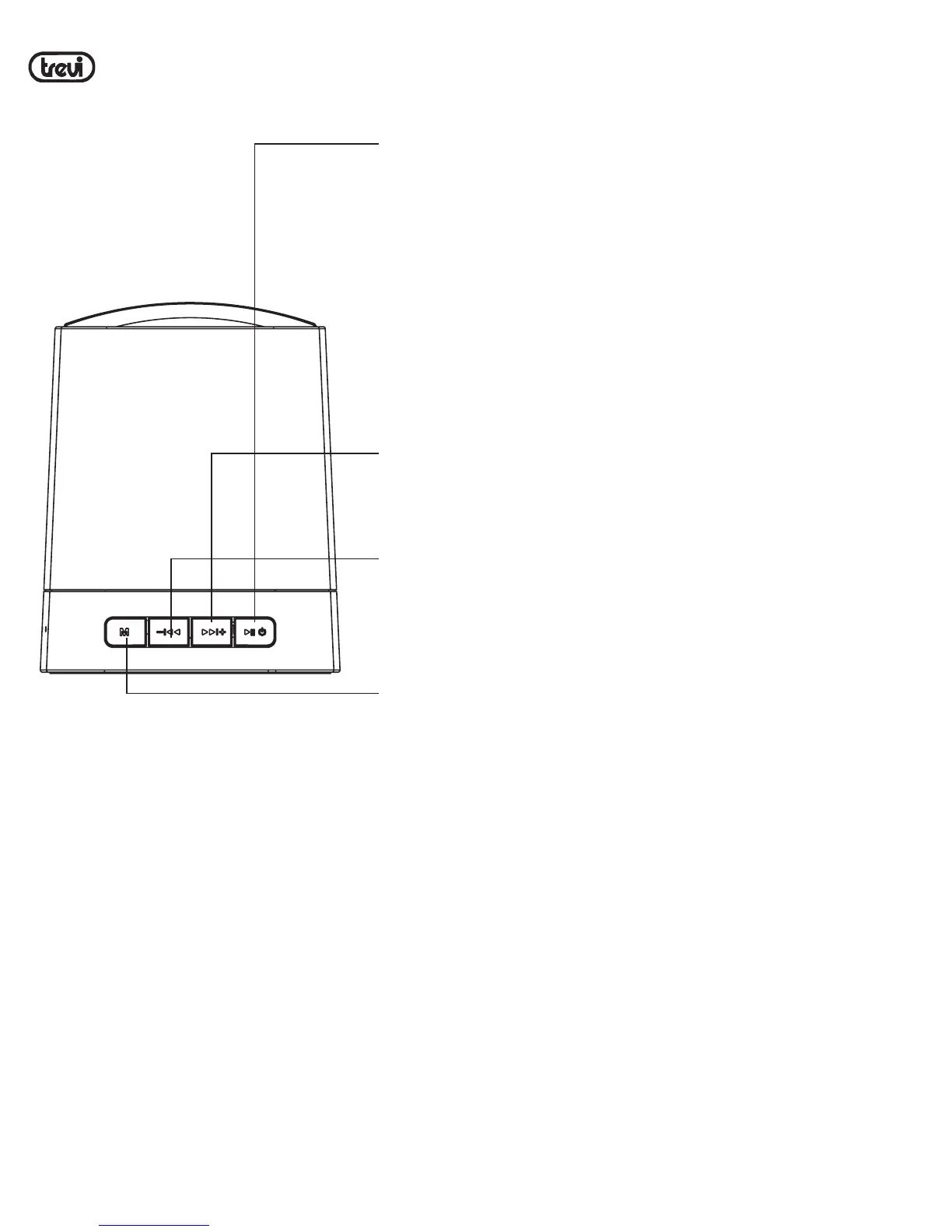
Buttons
LED indicator
ON/OFF/PLAY/PAUSE:
Long press for ON/OFF;
in Bluetooth mode, short press for
play/pause; when coming calls,
short press for answer/hang up call,
long press for reject call; in Bluetooth
mode while no coming call, double-click
for re-dial last dialed phone number.
Right arrow:
Long press for increasing volume,
short press for next music.
Left arrow:
Long press for decreasing volume,short
press for previous music.
M button:
Charging indicator
Led indicator
Microphone
Reset
Power on:
LED indicator fast flashing in blue, waiting for pair. After pair
with other device, LED indicator will slow flashing.
Waiting for pair:
Fast flashing in blue.
Paired:
Slow flashing in blue.
Charging:
Charging indicator keep lighting in red, and turn off when
full charged.
Bluetooth pairing instruction:
Reset:
If the unit was freeze, press reset to shut down unit,and
Press power button for restart.
Default setting as un-paired(LED indicator fast flashing in blue),
while unit paired, indicator will turn to slow flashing in blue.
For quit from paired mode, long pressing M button(about 4 seconds),
the LED indicator will change to fast flashing in blue. User can
search on other Bluetooth devices for the unit named "BTS07-C"
for pairing. Indicator will change to slow flashing in blue while
paired success.
Common problems
Item How to solve
Unable to pair
1.Shut down unit and restart
2.If a code was required, pls input 0000
With breaks
during music play
Please check if your are over working distance,
or any obstacle between paired devices.
No sound while
music play
1.Check the volume setting on item, and
increase volume
2.Check if it was paused
Unable to power on
Please charge the item
Unable to operate
Press reset and restart the item
Owing to continuous improvement, no prior notice will be given regarding
changes on above feature and spec.
lf at any time in the future you should need to dispose of this
product pleasenote that waste electrical products should not be
disposed of with householdwaste. Please recycle where facilities
exist. Check with your Local Authority or retailer for recycling
advice. (Waste Electrical and Electronic equipmentDirective)
Short press to switch bluetooth,
Audio-in modes. In Bluetooth mode while
playing music, long press for disconnecting
with current device, back to waiting for
pair mode; when coming call was answered,
long press for switching voice from
Bluetooth speaker to Smartphone.
Only when other devices connected to
line-in port, short press can switch to
Audio-in mode.In bluetooth mode, when
coming calls, long press for reject call
No sound in Audio
Please check the connection of
audio-in cable
ON / OFF / PLAY / PAUSA:
Pulsación larga para ON / OFF; en el modo Bluetooth,
pulse brevemente para reproducir / pausa; cuando
vienen las llamadas, pulse brevemente para responder
/ colgar llamadas; en el modo Bluetooth mientras no
hay ninguna llamada que viene, haga doble clic para
llamar el ultimo numero en rubrica.
Flecha derecha:
Mantenga pulsado para aumentar el volumen, pulse
brevemente para la próxima pieza musical.
Flecha izquierda:
Mantenga pulsado para disminuir el volumen, presione
brevemente para la pieza musical anterior.
Botón M:
En el modo Bluetooth mientras se reproduce la música,
mantenga pulsado para desconectar el dispositivo
actual, de nuevo a la espera de modo de par; cuando
viene la llamada para contestar, pulsación larga para
la conmutación de voz desde el altavoz Bluetooth
para Smartphone.
Sólo cuando otros dispositivos conectados a la línea
AUX, pulsación corta puede cambiar a entrada de
audio. In modo bluetooth, cuando vienen las llamadas,
pulsación larga para rechazar llamadas
ESPANOL
Advertencia: el arco superior del producto es sólo para la decoración de color; no es
por acarreo y el usuario no puede usar una cadena para transportar el dispositivo.


 To Next Page
 Loading...