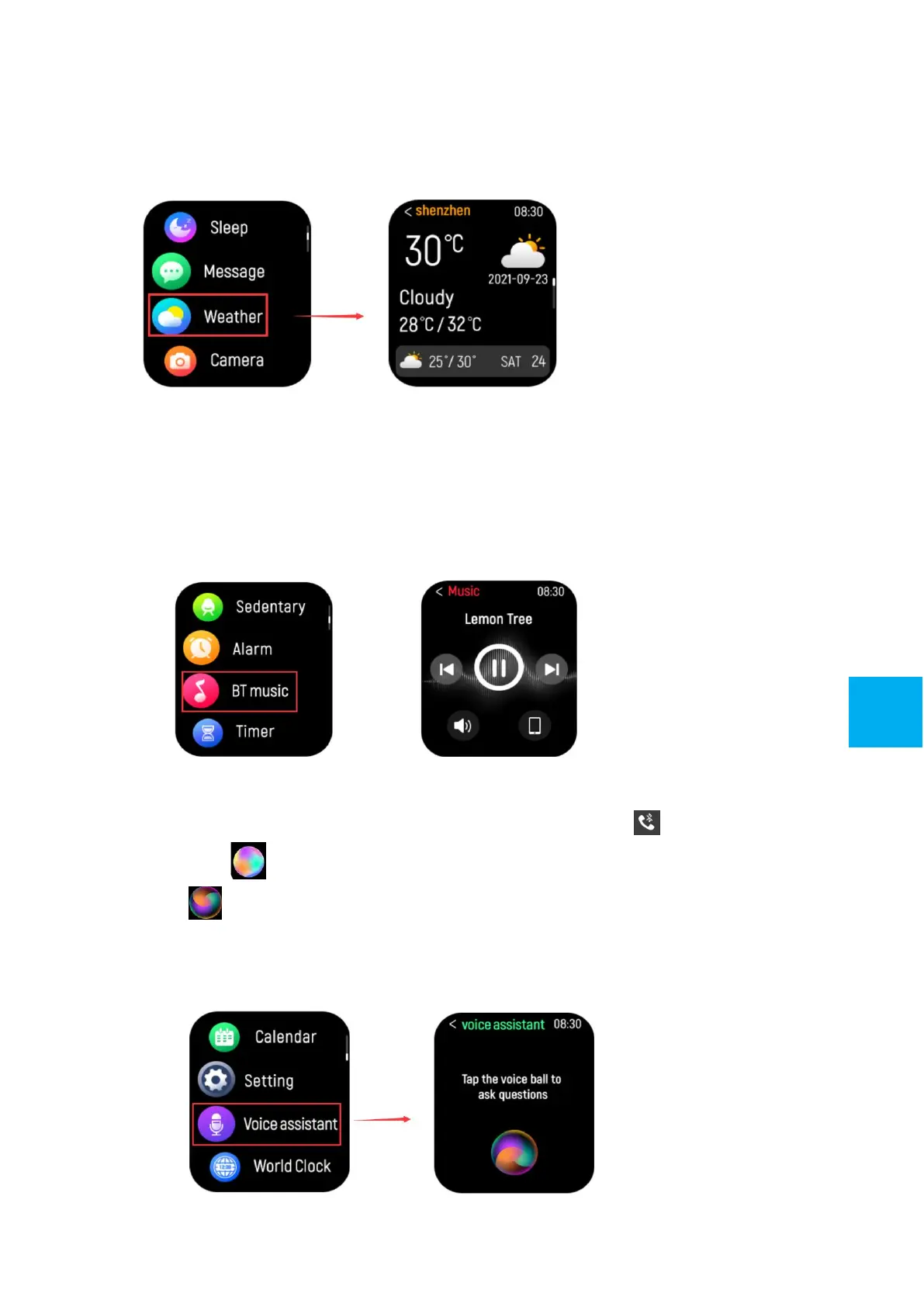
4.11 Weather
The smart watch will display the weather forecast when the
connection with the App is established. Set desired cities on the
App so you can view weather forecast of the cities on the watch.
4.12 Music Control
Tap the music icon to enter the music playback control interface.
You can select the previous/next song, and play/pause music. To
exit music playback control, slide the screen from left to right.
4.13 Voice Assistant
When the watch is connected via call Bluetooth with the App,
tap this icon to access to the Voice Assistant. Click the Voice
ball icon to wake up the Voice Assistant of the phone. For
example: You say to your watch, ‘hey Siri, how’s weather’; then
the weather interface will display on your phone.
9
GB


 To Next Page