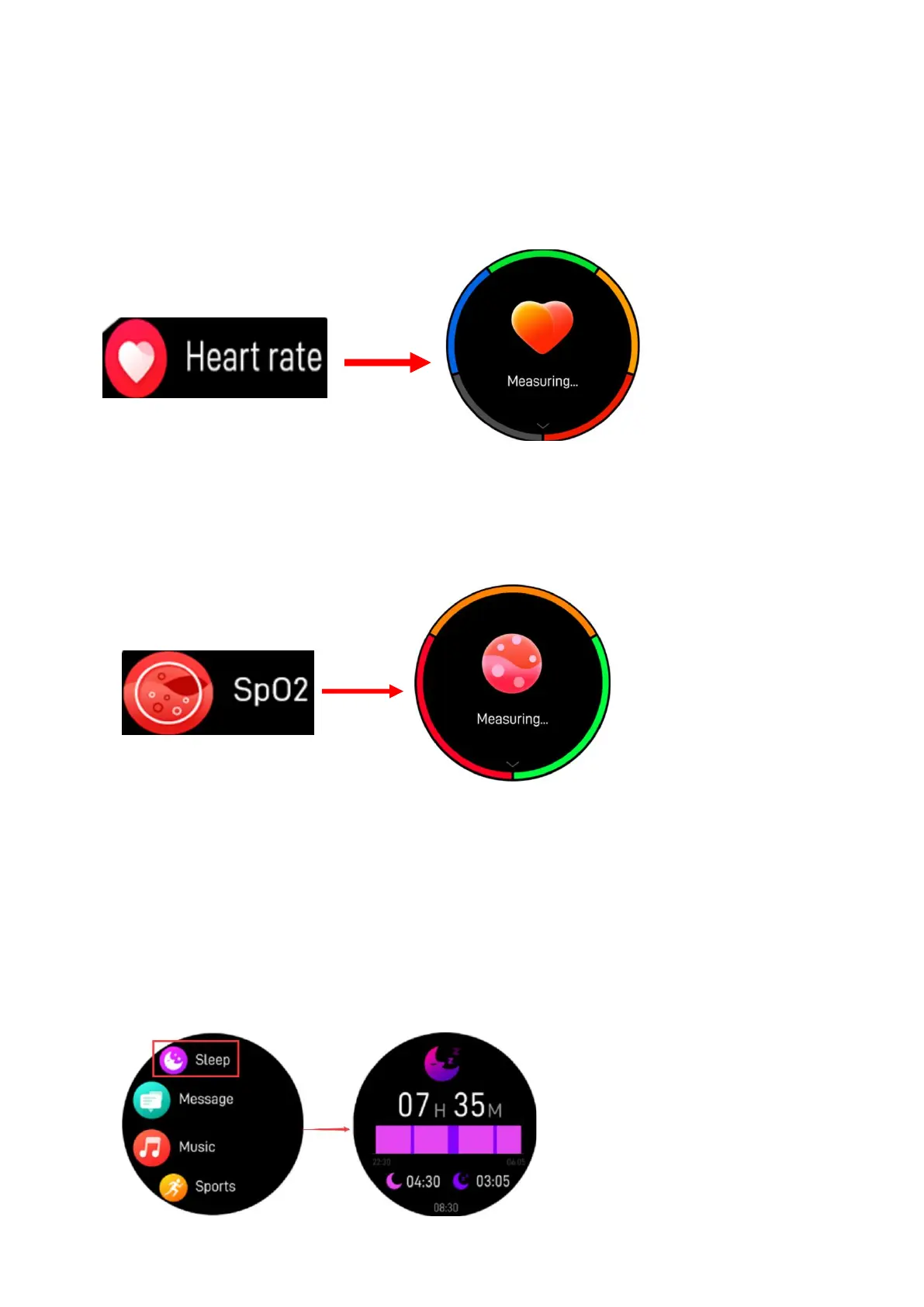
5.8 Heart rate monitor
Select the heart rate icon to monitor your current heart rate. To
exit the heart rate monitor, please slide to right. If you’ve
connected your smart watch with App via Bluetooth, you can also
check your heart rate data on the App.
5.9 Blood Oxygen
Tap this icon to monitor your current Blood Oxygen status. To
exit the Blood Oxygen monitor, please slide to right on the
screen.
5.10 Sleep monitor
The smart watch automatically monitors your sleep from 22:00
p.m. to 9:00 a.m. When you get up the next day, the smart watch
displays your sleep report about the time of total sleep, light
sleep and deep sleep. If you’ve connected your smart watch with
TRIACLE LIFE App via Bluetooth, you can also check more detailed
sleep report on the App.
8


 To Next Page