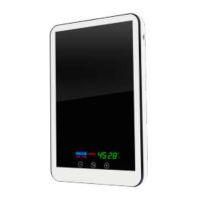
Setting the Room Temperature
Press any button.
C (Comfort) Appears, and the display starts flashing.
Using + or – buttons adjust to desired temperature.
If the button is not pressed for more than 5 seconds, the display will exit the setting mode (the value
stops flashing, and the new set temperature is stored).
Child Lock
Turn on the heater to the mains while
holding down the + button and hold it until “Loc” appears on the display.
After this the heater will react only with a low beep when buttons are pressed.
To unlock. Connect the heater to the mains while holding down the
- button and hold it until “nLoc” appears on the display.
Turning Panel On/Off from the Display
Simultaneously press and hold both buttons (more than 2 seconds) until the display shows “On” or
“Off”
When the panel is turned off, LED brightness is lowered, and the display will show room
temperature.
Viewing the surface temperature of the Panel heater.
Briefly press both buttons.
The surface temperature of the heater will be displayed, and “P” will flash for five seconds.
The display reverts to room temperature after 5 seconds.
Attention! If the surface temperature of the heater is shown continuously,
the room temperature sensor is not connected or damaged.
Irrespective of the room temperature the heater surface will be warmed continuously to the set
value "P" (see below).
IMPORTANT
Setting the maximum surface temperature of the Panel heater.
During normal operation the surface temperature of the heater is automatically set depending on
heat losses in the room and can be between room temperature and the set maximum limit.
The limit is set at the factory to maximum (95 ° C), but you can set it lower (children's room, etc.).
Keep in mind that the more you restrict the maximum panel surface temperature, the less
area it will be able to warm up.
To set the limit temperature, press any button. The display will flash and show set air temperature.
While the value is flashing, at the same time press and hold both buttons for at least 2 seconds.
After the beep, panel surface set temperature is displayed and starts flashing. Press the + or -
buttons to alter the value of the surface temperature of the heater “P”. Once set wait for 6 seconds
to exit from the setting mode.


 To Next Page
 Loading...