EasyManua.ls Logo

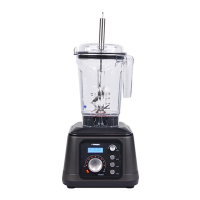
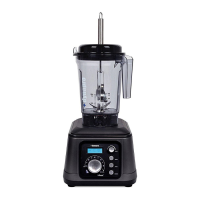
Tribest Dynapro DPS-1050 - User Manual

Tribest Dynapro DPS-1050
60 pages
Print Icon
To Next Page IconTo Next Page
Loading...
Read Instructions Before Using
OPERATION MANUAL
MODE D’EMPLOI
BEDIENUNGSANLEITUNG
MANUAL DE USO
Question and Answer IconNeed help?

Do you have a question about the Tribest Dynapro DPS-1050 and is the answer not in the manual?

Summary

INTRODUCTION

IMPORTANT SAFEGUARDS

WARNING

PARTS & FEATURES

Controls Overview

Details on switches, dials, and buttons for operation.

Key Components

Description of main parts like container, lid, and blade assembly.

Display Information

Explains the LCD display and its status indicators for machine status.

CONTROL PANEL

Power and Display

On/Off switch for power and LCD status display functions.

Manual Operation Controls

Dials for speed, time, and start/pause function for manual blending.

Preset Blending Modes

Buttons for Blend, Pulse, and Combo automatic operations.

Status Indicator

LED light indicating operational mode (Manual, Timer, Auto).

HOW TO USE HANDHELD VACUUM PUMP

ABOUT THE RAW INDICATOR

CLEANING AND MAINTENANCE

Main body

Instructions for cleaning the exterior and switches.

Container

Instructions for cleaning the blending container.

TROUBLESHOOTING

Automatic Overload Protection

Explanation of motor protection feature.

Retaining Nut Loosening

Advice on loose retainer nut.

Error Codes (ERR1, ERR2)

Explanation of error codes and potential causes.

WHEN YOU NEED SERVICE

SERVICE CENTER

Contact information for service inquiries and RMA.
PRODUCT INFORMATION

Tribest Dynapro DPS-1050 Specifications

General IconGeneral
BrandTribest
ModelDynapro DPS-1050
CategoryBlender
LanguageEnglish

Related product manuals