EasyManua.ls Logo

Tribest Sedona SD-P9000 - User Manual

Tribest Sedona SD-P9000
28 pages
Print Icon
To Next Page IconTo Next Page
Loading...
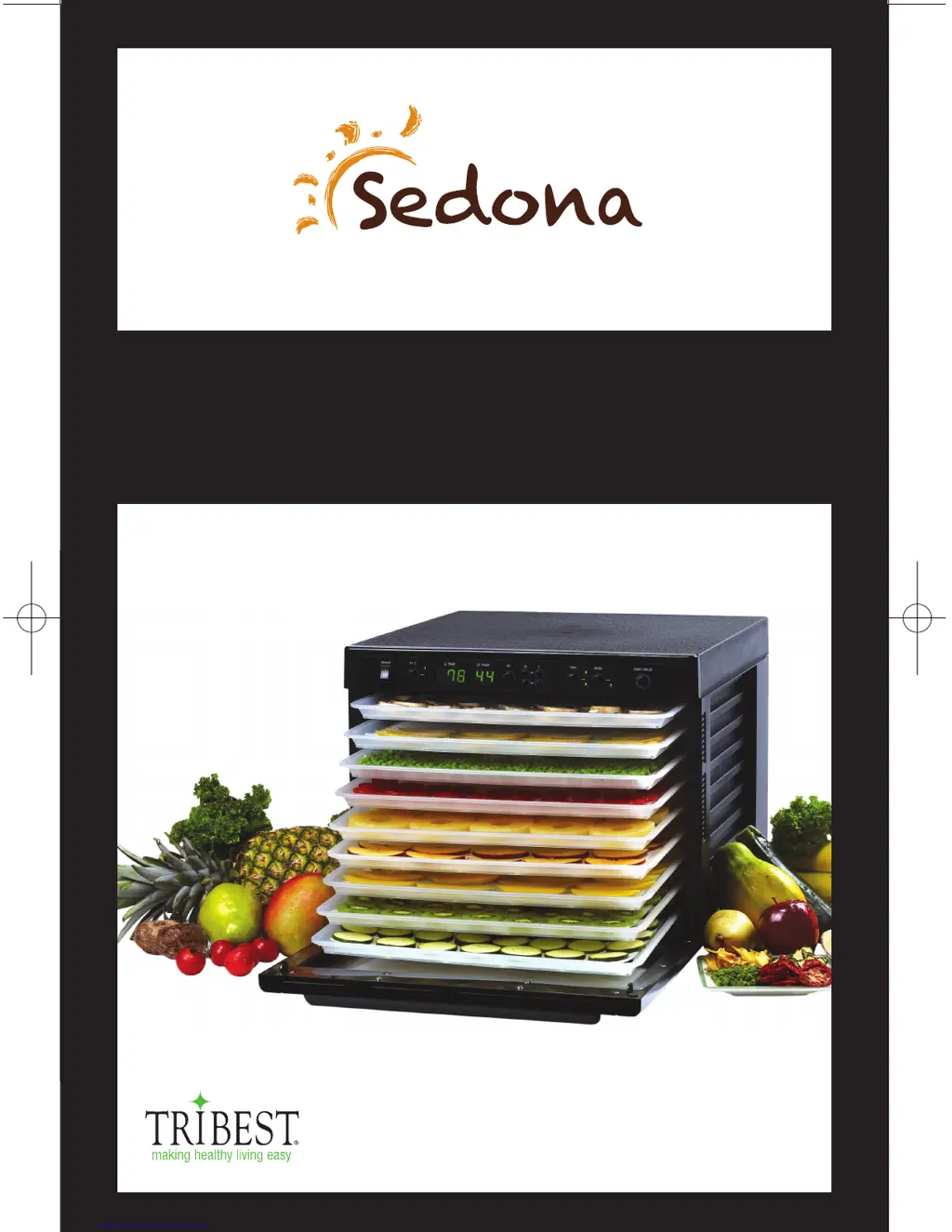
FOOD DEHYDRATOR
SEDONA DEHYDRATOR
OPERATION MANUAL
MODEL: SD-P9000
sedona_manual(1209수정).indd 1 2010-12-09 오후 2:44:16

Questions and Answers

  • M
    Michael JohnsonAug 14, 2025
    Why is my Tribest Kitchen Appliance not dehydrating food properly?
    • A
      Angela SilvaAug 14, 2025
      If your Tribest Kitchen Appliance isn't dehydrating properly, it might be due to a few reasons. First, there might be too much food on the tray, in which case you should reduce the quantity. Also, make sure the food isn't overlapping; spread it evenly. If the fan seems slow, turn the machine off and contact the nearest service center.
  • J
    Jennifer TuckerAug 17, 2025
    Why are foods not evenly dehydrated in my Tribest Kitchen Appliances?
    • B
      Bethany BradyAug 17, 2025
      If foods are not evenly dehydrated in your Tribest Kitchen Appliance, it could be due to unevenly sliced food. Make sure to slice the food evenly. Also, there might be too much food on the tray, so reduce the amount. Finally, ensure you're using the correct tray for the type of food you're dehydrating.
  • K
    Kathryn MillerAug 21, 2025
    How to fix a Tribest Kitchen Appliance that does not turn on?
    • M
      Michael RobbinsAug 21, 2025
      If your Tribest Kitchen Appliance machine does not turn on, check if the plug is correctly positioned in the electrical outlet and plug it in again. Also, ensure that the machine switch is turned on.
  • S
    Susan SmithAug 25, 2025
    What to do if there are water drops on the door of my Tribest Kitchen Appliance?
    • C
      Curtis MolinaAug 25, 2025
      If you notice water drops on the door of your Tribest Kitchen Appliance, it could be because there's too much food on the tray. Try reducing the food quantity. Another reason might be that the food contains too much water. In this case, reduce the food quantity and increase the dehydration time.
  • Y
    ycollinsAug 27, 2025
    What to do if heater works but the fan doesn't work on my Tribest Kitchen Appliance?
    • A
      Angela HoffmanAug 28, 2025
      If the heater is working but the fan isn't in your Tribest Kitchen Appliance, the fan might be out of order. Turn the machine off and contact the nearest service center. Alternatively, there might be foreign material stuck on the fan; if so, remove it.
  • E
    Elizabeth ShepardAug 31, 2025
    Why is there an abnormal sound coming from the fan of my Tribest Kitchen Appliance?
    • W
      waynekellyAug 31, 2025
      If you hear an abnormal sound from the fan of your Tribest Kitchen Appliance, it's possible that the fan is out of order. In this case, turn the machine off and contact the nearest service center.
  • D
    David BryantSep 3, 2025
    Why are the display lights not on for my Tribest Kitchen Appliance?
    • V
      vwilsonSep 3, 2025
      If the display lights are not on for your Tribest Kitchen Appliance, make sure the machine switch is turned on.
  • T
    Tonya BlakeSep 6, 2025
    What to do if the fan is working but there is no heat in my Tribest Kitchen Appliance?
    • A
      Alicia WadeSep 6, 2025
      If your Tribest Kitchen Appliance fan is working but there is no heat, the heating system may be out of order. Turn the machine off and contact the nearest service center.
  • L
    Lauren SpencerSep 10, 2025
    Why is my Tribest Kitchen Appliance overheating or not heating enough?
    • R
      Raymond HowardSep 12, 2025
      If your Tribest Kitchen Appliance is overheating or providing little heat, the temperature control system may not be working correctly. Turn the machine OFF and contact the nearest service center.

Summary

Sedona Dehydrator Introduction

Sedona Dehydrator Safety Precautions

Sedona Dehydrator Warnings

Sedona Dehydrator Parts

Sedona Dehydrator Operation

Sedona Dehydrator Setup

Sedona Dehydrator Cleaning and Maintenance

Sedona Dehydrator Troubleshooting

Sedona Dehydrator Warranty

Sedona Dehydrator Registration

Sedona Dehydrator Service Information

Sedona Dehydrator Service Center

Contact information and procedures for obtaining Sedona Dehydrator service and return authorization.

Sedona Dehydrator Recipe Index

Sedona Dehydrator Product Information

Tribest Sedona SD-P9000 Specifications

General IconGeneral
TypeFood Dehydrator
ModelSD-P9000
TimerUp to 99 hours
Capacity9 trays
Power600 watts
Tray MaterialStainless Steel
Voltage120V
MaterialStainless Steel
ColorSilver
Temperature Range95°F to 165°F

Related product manuals